
CuriousTechie: Hey ITGuy ! I have a scenario with NSX ALB that I need to work on, can we talk about it?
ITGuy: Sure! Let’s understand the scenario and we can evaluate a feasible solution.
CuriousTechie: I have few Active Virtual Services running in my AVI environment on vCenter Write Access cloud. Frontend VIP and Backend Servers are on different networks and the deployment is on Two Arm mode.
Due to some backend configuration on vCenter, I had to create new DV PortGroups for the same VLAN communication and now I need to make sure that my AVI Services Engines gets connected to the new PortGroups that I have created and not on the old ones.
ITGuy: For normal VM’s running in the environment, this move is as easy as changing the network adapter of a VM but for Service Engines that is not the case. If you change the Network adapter of the SE from vCenter then it would result in mismatch of configuration between AVI and vCenter. For example, in vCenter you will see SE connected to New PortGroup but in AVI console you will see the SE connected to Old PortGroup.(Do not try that!)
The way to perform the activity is by using proper placement networks and during this activity your Virtual Service will not be available for some time thus it will be best done during maintenance window. Let’s see how it can be done!
Current Configuration as below
Management Network = VM-RegionA01-vDS-COMP
VIP Network = Old VIP 110
Backend Data Network = VM-RegionA01-vDS-COMP

Desired Configuration as below
We do not want any changes on the Management network and only need to change the VIP and backend data network as below
Management Network = VM-RegionA01-vDS-COMP
VIP Network = New VIP 110
Backend Data Network = New Data 120
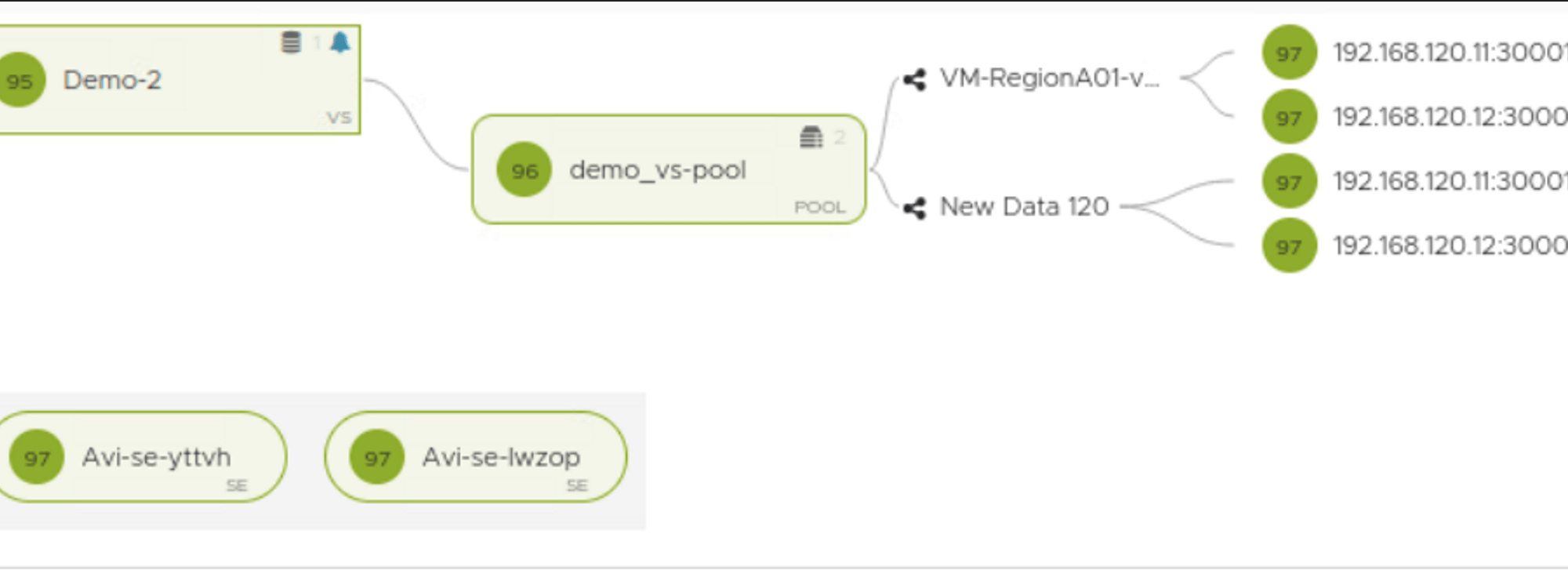
At this point of time the new PortGroups “New VIP 110” & “New Data 120” are created in vCenter and notice in the below snapshot, AVI is aware the backend servers are reachable via two different PortGroups

Step-By-Step Guide
- Step One: In AVI, create an IP Pool on the each new PortGroup(I am not using DHCP), IP pool must not overlap with the existing IP pool on the current portgroups.


- Step Two: Configure the placement network as “New Data 120” for the backed server pool.

- Step Three: Configure the placement network as “New VIP 110” for the VIP.

During this step you will see a short outage on the virtual service, as you see in below snap I lost around 30 packets.

After some time you will see both Old and New portgroups connected to the SE’s , give it some time the old one will go away!

Congratulations, the task in hand is now done and SE’s networks are connected to the desired portgroups as below.

NOTE: NSX ALB and AVI are two terms used interchangeably in this post and both means the same thing “NSX Advanced Load Balancer”
Conclusion
ITGuy: In this article we saw how we can use placement network setting to change the network configuration of Service Engines.
CuriousTechie: This was informative and will follow this procedure while doing in my environment.
ITGuy: Please remember to do it in a maintenance window and optionally you may also disable the virtual service while setting up the placement networks.
CuriousTechie: Thanks! See ya later!
 Curious-Techies