

A conversation about basic validation of NSX Distributed Intrusion Detection and Prevention System
CuriousTechie: Hey IT Guy, I am doing a Green filed deployment and have enabled NSX distributed IDPS in the environment. It may take few days to setup a testing environment with Security testing tools to simulate attacks and validate if the NSX D-IDPS is actually working or not. Is there a way to quicky validate the basic intrusion detection and prevention functionality of the solution?
ITGuy: Yes, we can validate that using NSX test signatures! Do you have any test virtual machines in your environment with internet access?
CuriousTechie: Yes, I do have few machines that I have been using for connectivity testing, will that work?
ITGuy: Absolutely! Let’s start with validation of the configuration and then the functionality. Let’s start sequentially, can you show me the IDS/IPS setting’s tab.
CuriousTechie: Sure! I have the Auto Update enabled and version is recent.

ITGuy: Let’s validate the IDPS engine is actually enabled on the host.
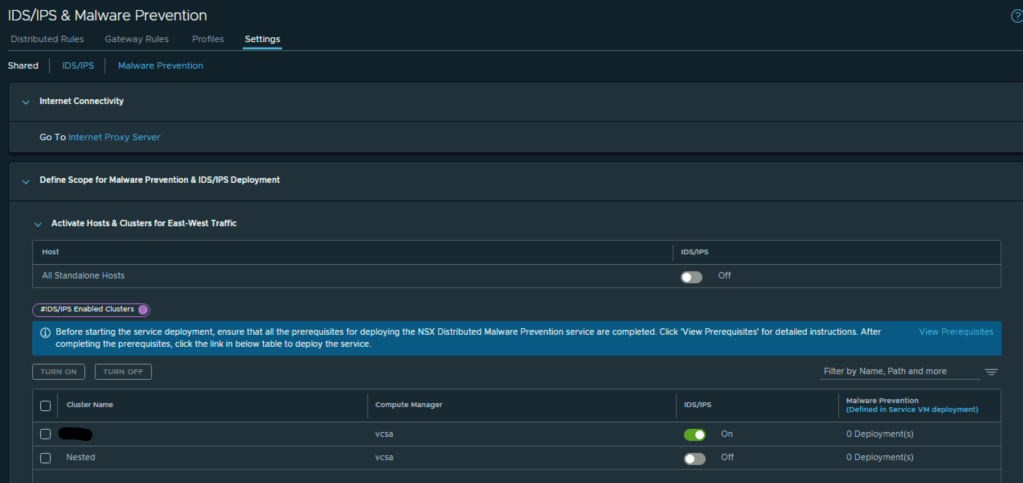
CuriousTechie: I have two clusters in the environment, and I need to run IDPS on only one of them thus I have enabled the IDPS on one cluster only as below.
I have also validated in the CLI of the host after enabling it on the GUI as below.
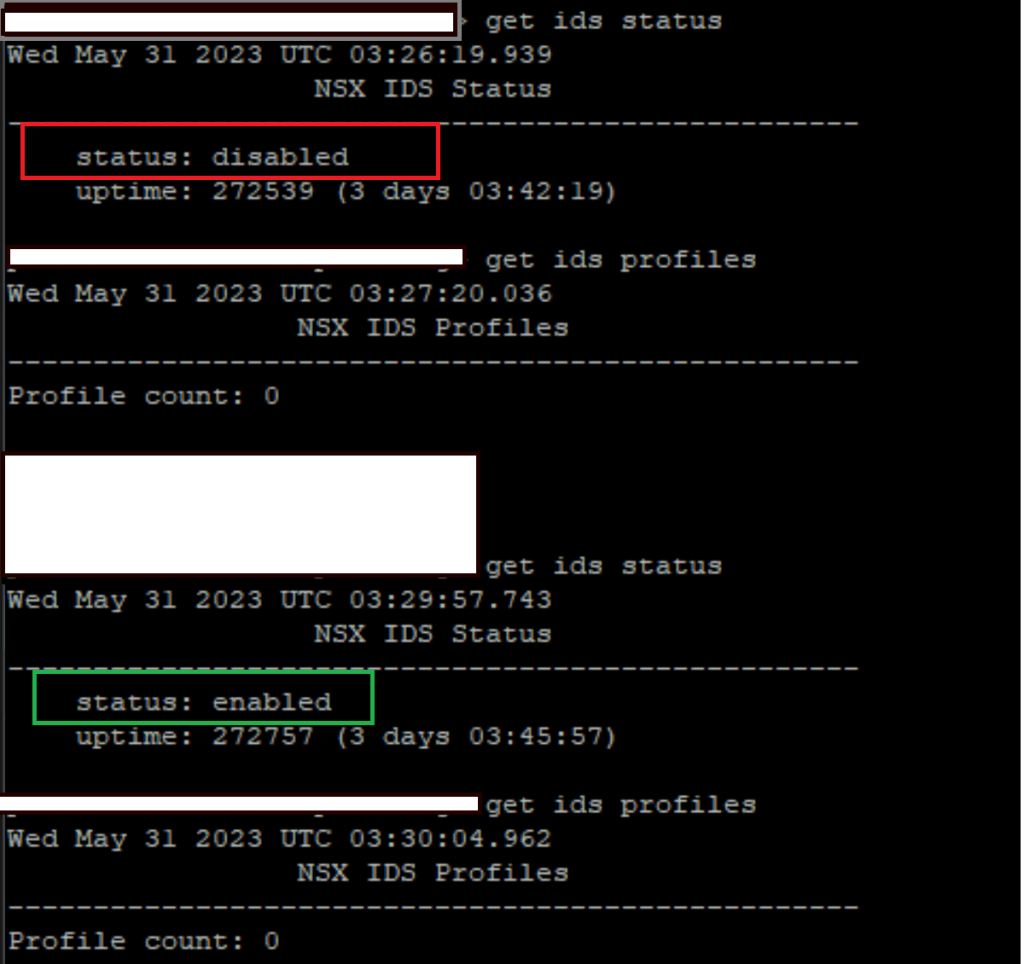
ITGuy: Nice! This is an on-premises installation so you were able to do SSH into the host and run nsxcli commands to get the IDS status but for cloud installation like VMC on AWS or any other cloud you will not have the ability to SSH into the host and you have to rely on the functionality testing only. Just a note for future endeavors!
Now let’s take a look at the IDS profiles and rules you are using for testing.
CuriousTechie: I have created a profile with only Critical and High severity signatures.

Created a test rule called IDPS-Test with Source, Destination and Service as Any-Any-Any, but I have applied the rule only to a Security Group “Green-Test” where I have my test virtual machines. The rule is in Detect Only Mode.
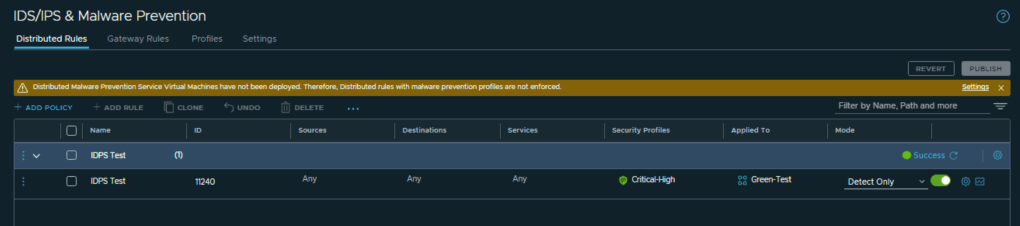
ITGuy: Okay! You should adopt the best practices for IDPS fine tuning but for initial validation this looks perfect.
CuriousTechie: Yes, but this the place where I am stuck, I have test VM, I have IDPS running but I do not have a mechanism to generate any malicious traffic to test the functionality! As you can see the IDS/IPS dashboard is empty.
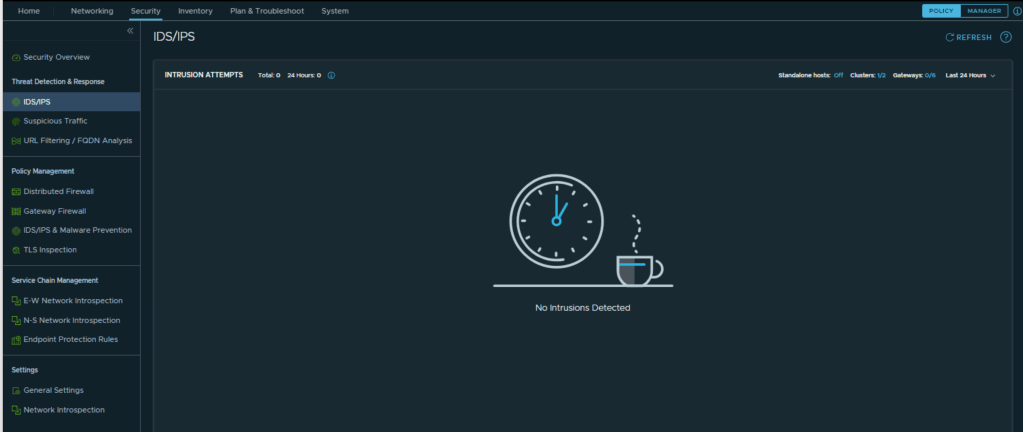
ITGuy: I see your problem and the solution is actually simple. VMware security has test site and test signatures to validate the functionality of the platform. Let’s go to you test VM and try to do a CURL to this URL.
curl -k https://ids.lastline.com/test_nsx_idps
CuriousTechie: Okay, I got the below output.

ITGuy: Lets go to your IDPS dashboard and check if you got something there.
CuriousTechie: Wow! Yeah now I can see events in the dashboard.

ITGuy: Let’s check few details of these events, you can see the Source/Destination IP’s, Port, ESXi host, Direction/Target/Type of the Attack.

You can also see the details about the signature ID and “Purple” pointers in the graph which shows the attack was “Detected Only”.

CuriousTechie: Cool, let me try to test the Prevention also so I will make the same rule as “Detect and Prevent”
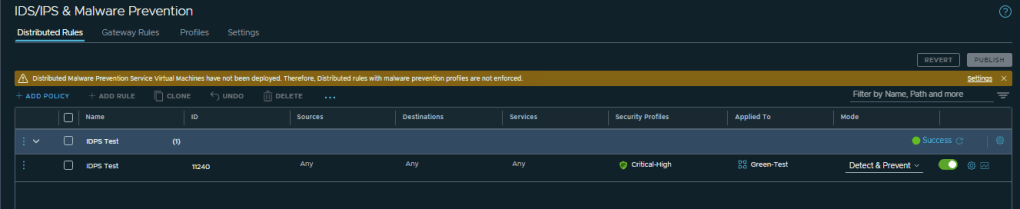
Now let’s test the URL access.

Looks like the prevention system is not working!! Bruh!!
ITGuy: No worries, let’s take a step back and understand how this works. For a malicious traffic to be Prevented we need two factors in place.
- IDPS rules must be configured with Detect & Prevent Mode.
- Signature which is getting the hit must have Reject or Drop Action.
You already have the rule in Detect & Prevent Mode so lets check the Action on Signature that was triggered.
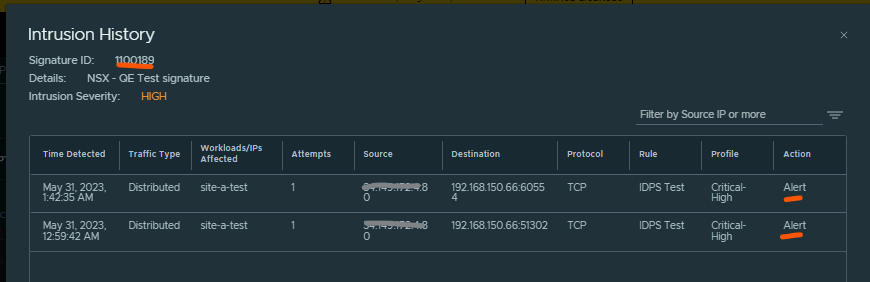
As you see Action is set to Alert and thus the attack was not prevented.
Let’s change the signature Action to “Drop” and test again. You may change the signature action on a global level as well as on a Profile level. I would recommend making the change on your “Critical-High” profile.
CuriousTechie: Okay let’s do it!


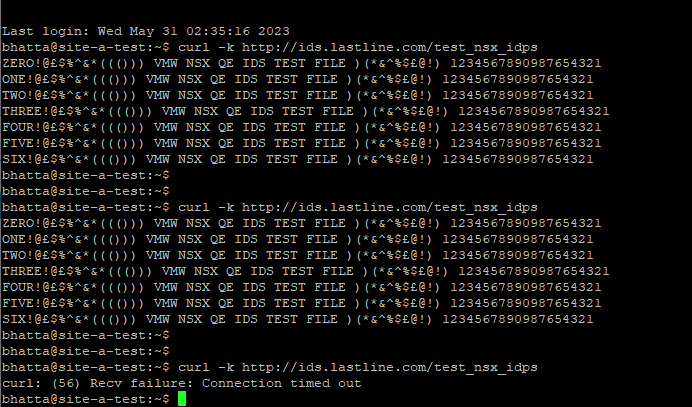
ITGuy: Let’s test now!
CuriousTechie: Wowww! Prevention worked this time! I didn’t receive the malicious payload from the test site.
I can also see the Prevention Event with the Green Bar now and also the Event history for the dropped traffic.


ITGuy: Cool! Now you have a basic validation that NSX Distributed Intrusion and Detection system is working as expected!
I hope this was helpful and see you next time!
 Curious-Techies