
A conversation about placement of Virtual Services on NSX ALB Service Engines
CuriousTechie: Hey IT Guy, I am starting my starting my journey with NSX ALB and I am little confused with different knobs in the Service Engine Group setting to manage the Virtual Service Placement. Can you show me around the setting to build a better understanding?
ITGuy: Yes, sure! Let’s start with some basic understanding of the knobs and then we can work on few scenarios to see how the placement works.
CuriousTechie: Sure, can we start with the HA Modes?
ITGuy: Before going into HA modes have an understanding of the two Tabs available for the SE Group wizard as “Base Settings” and “Advanced” which goes hand in hand. In Base tab you decide the HA mode etc. and in advanced tab you take a decision on the scaling.
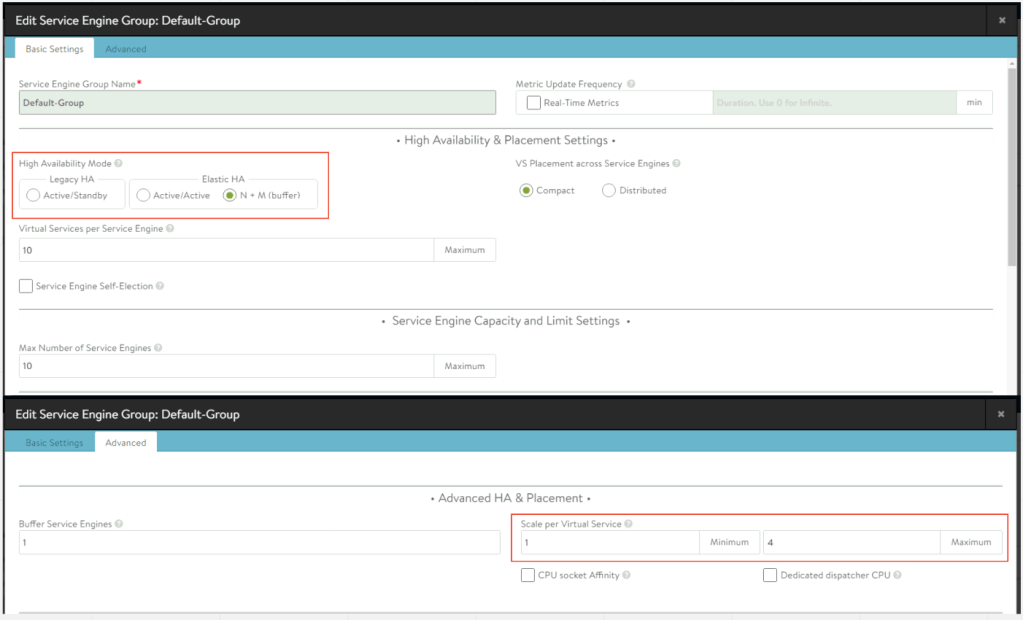
ITGuy: Basically there are three kind of HA modes available for NSX ALB
- Legacy HA – Active/Standby Mode
- Active/Active
- Elastic N+M
Legacy HA – Active/Standby Mode
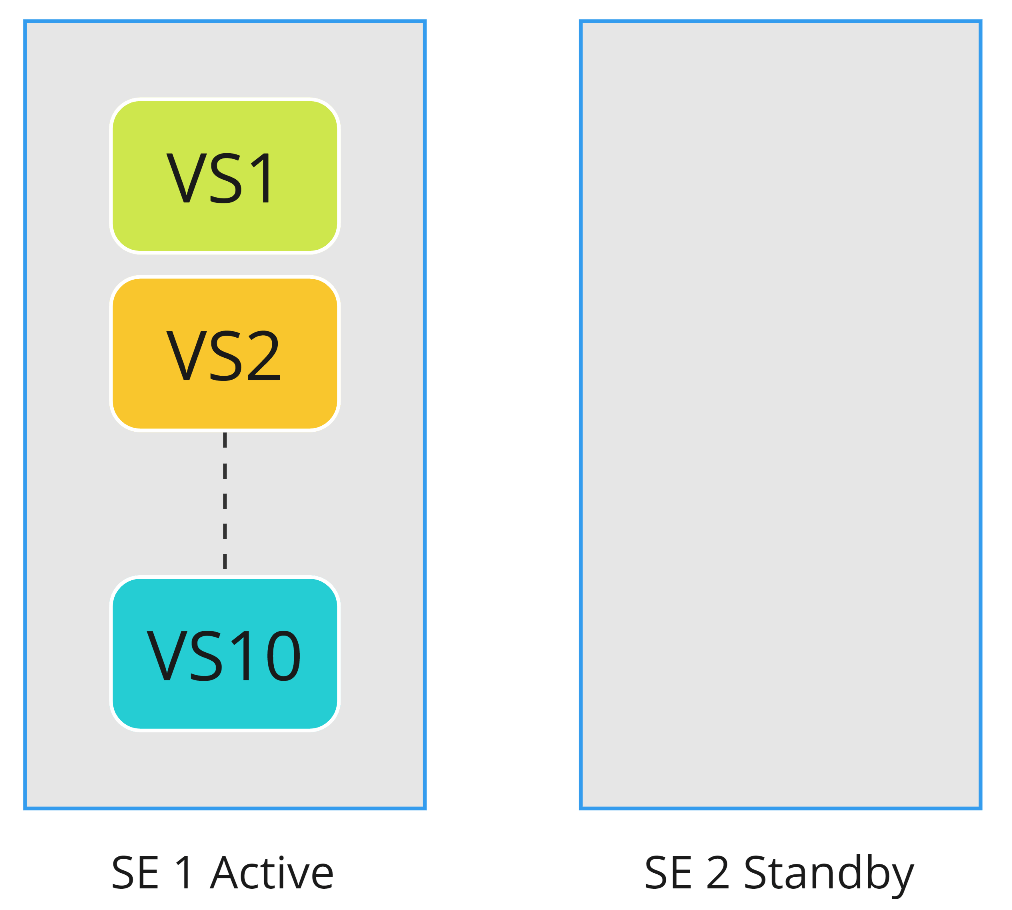
ITGuy: As the name suggests, at a point of time only one SE is active and responsible for passing traffic. This is the legacy mode and is not recommended to be used in unless there is any specific use case for example you need to use this as a Default Gateway of a network.
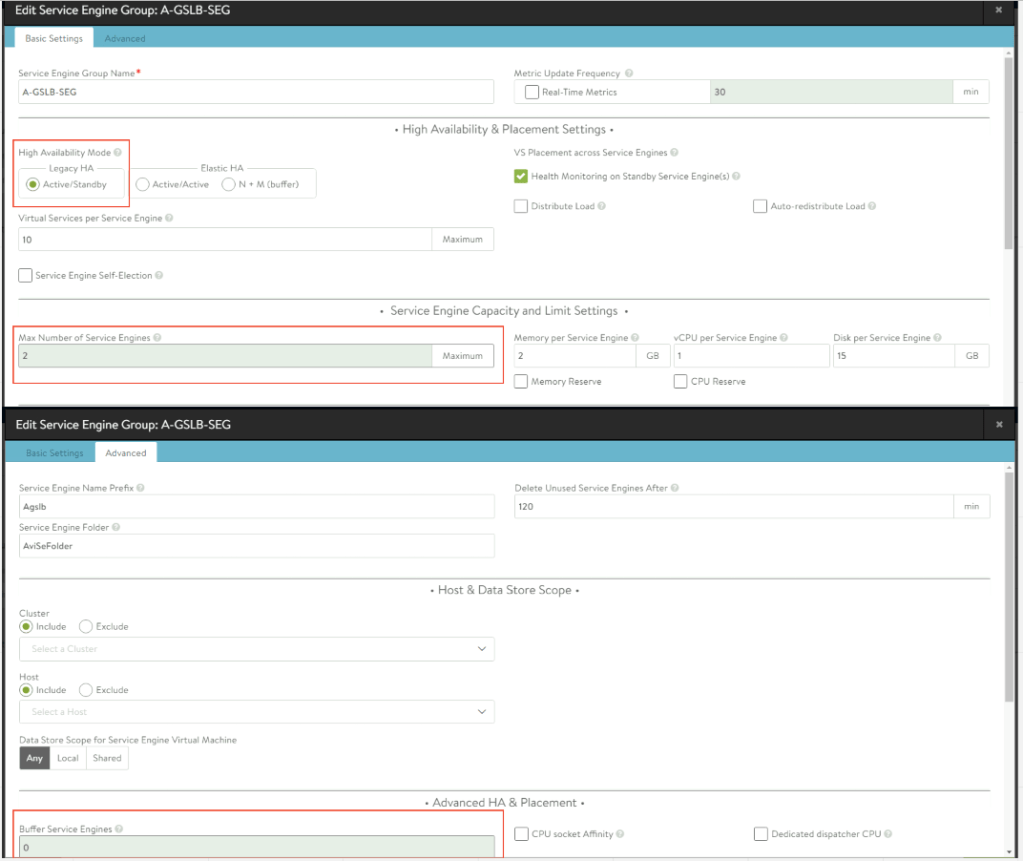
As you can see from the image, you can only have a maximum of 2 SE’s and of course you cannot have any buffer SE’s. Standyby SE is idle i.e. doesn’t have any virtual services hosted on it.
CuriousTechie: Okay but this image of SE group setting looks little different than the previous image, why is that?
ITGuy: Good observation, service engine group setting depends on the cloud that you are using for the SE group and thus it differs the setting. On the first image it was a no-orchestrator cloud, and this image is from the vCenter cloud thus you see setting for Memory/vCPU/Disk etc.
CuriousTechie: Got it!
Active/Active
ITGuy: In this mode, all the SE’s in the group are active and can forward traffic. A VS(Virtual Service) must be scaled across at least 2 SE’s. Let’s take a look at few configurations to build the understanding.
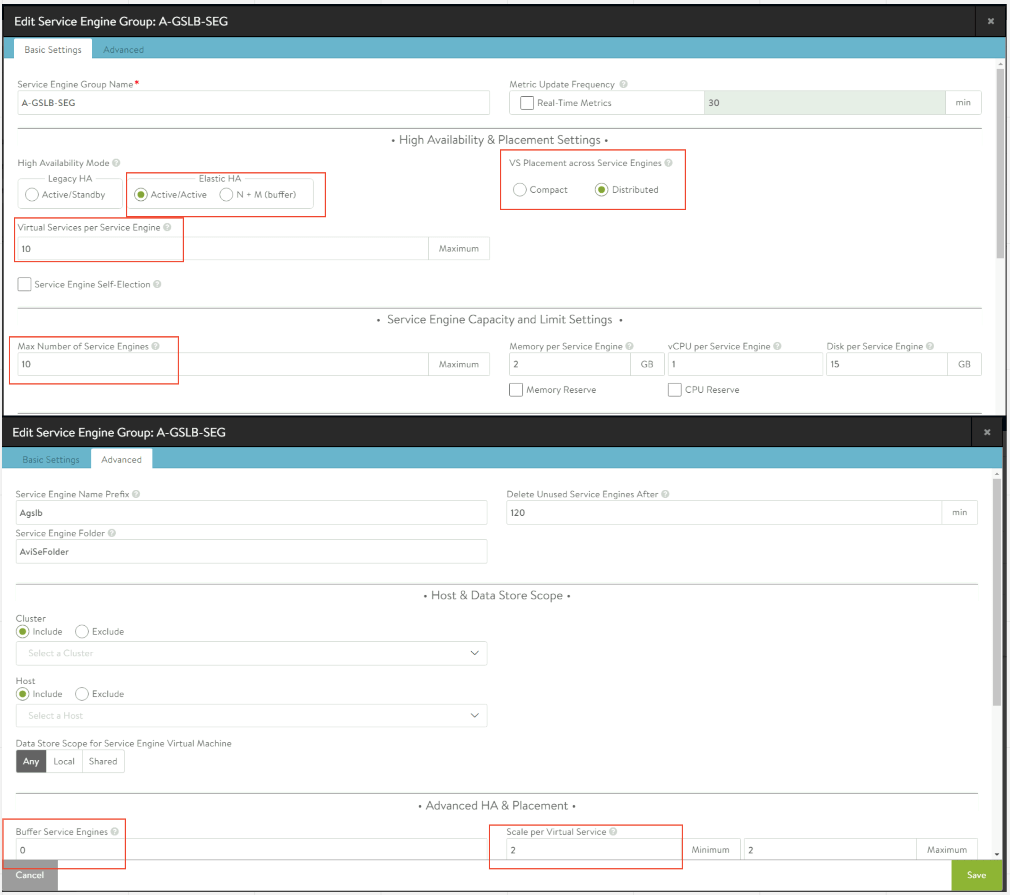
In the above setting, how many SE will be created when you create your first virtual service.
CuriousTechie: 2 SE’s will be created, and VS will be placed on both of them.
ITGuy: Perfect! What happens when you create the 2nd virtual service?
CuriousTechie: We already have 2 SE’s so the new virtual service will be placed on the existing SE’s.
ITGuy: No!!
This is where the setting “VS Placement across SE” “Compact/Distributed” plays the part. For Active-Active HA the default mode is Distributed and this means it will keep spinning up new SE’s for every new virtual service you create.
CuriousTechie: What if, I only have license for 2 SE’s and need only 2 SE’s in the environment but multiple virtual services on them?
ITGuy: Yes, that’s where the setting “Max number of Service Engines” plays the part. If you change that setting to “2” then all the virtual service that you create will be placed on the same 2 SEs and new SE’s will not be spun up. Notice the setting “Virtual Services per Service Engine“,”10” where you specify how many Virtual Services you can create on a Service Engine.
CuriousTechie: How can I manage the scaling of the virtual services? As I understand we can scale a virtual service to more than 2 SE’s.
ITGuy: Yes! Let’s take a look at few settings on the scaling.
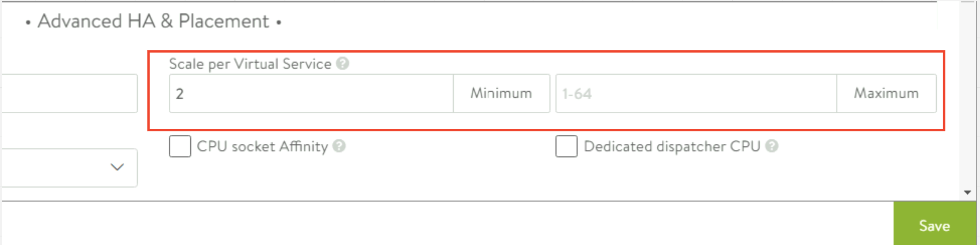
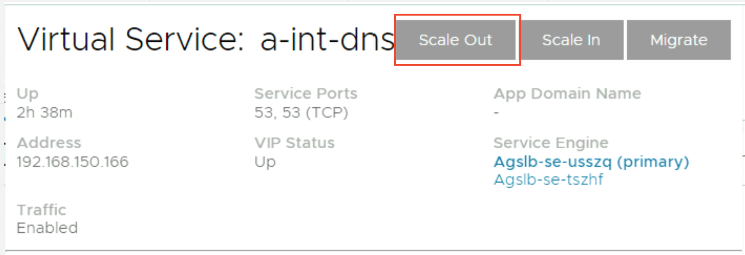
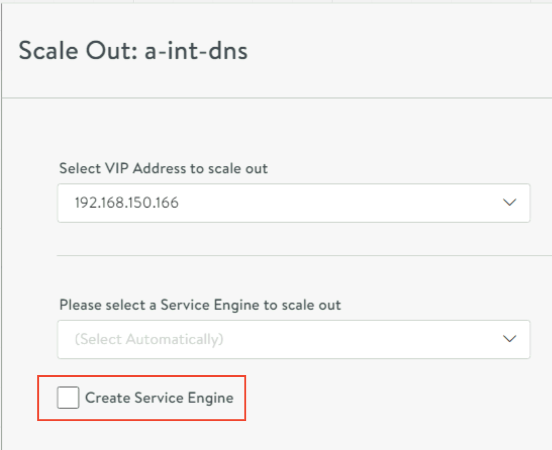
This setting on the Advanced Tab specifies the Minimum and Maximum Scale of all the virtual services placed on this Service Engine Group. As you can see the Maximum Scale is 64. This setting is applicable to all the Virtual Services and if you need a particular virtual service to be scaled to a higher number(less than the Max defined) then you can do it on the virtual service level like below.
Elastic N+M
ITGuy: In this mode, all the SE’s are active and can forward traffic similar to Active-Active but here you have options to have a buffer SE for your virtual services. Here
N = Number of SE’s a VS is scaled across
M = Buffer number of failures the service group can sustain
Let’s see a configuration to build the understanding.
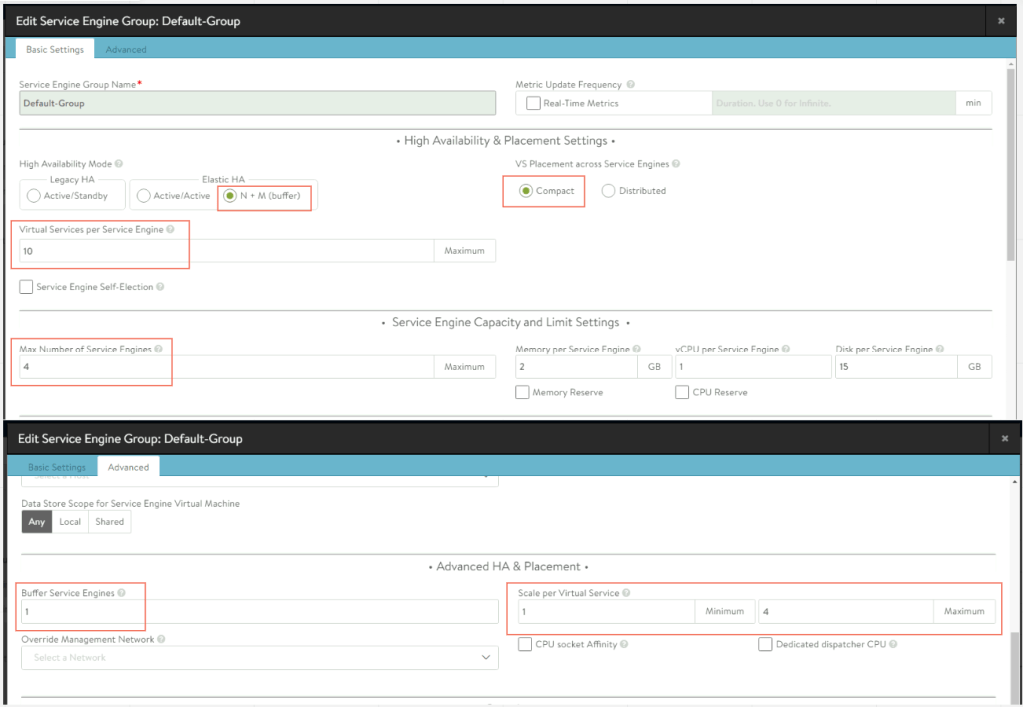
As per the above the above configurations, when you create the first VS. Two SE’s will be spun up, one will host the VS( Scale per VS = 1) and other will be Buffer.
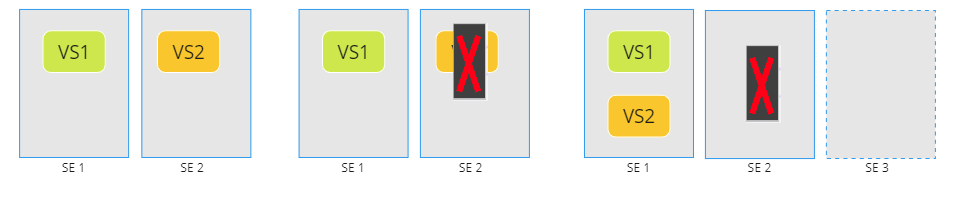
CuriousTechie: What happens when I create another VS ? Will it create another SE as we have Max number of SE = 4 ??
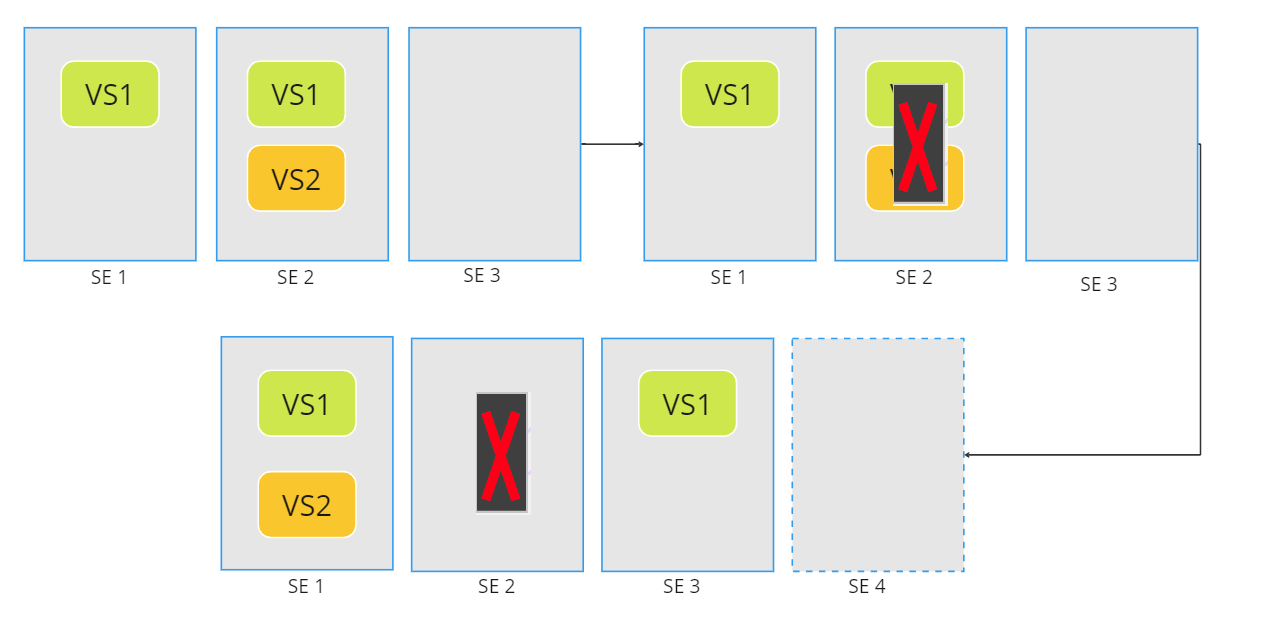
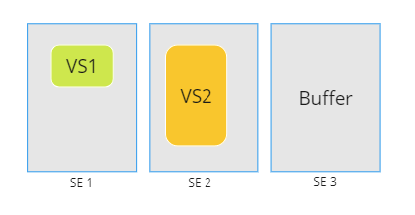
ITGuy: Well that’s where the elastic nature comes into play. If the second SE can be accommodated with the current 2 SEs then new SE will not be created as the “Compact” Mode is chosen(Default for N+M) i.e. SE cores will not be used up unless required based on the capacity. As you see below 2 SEs were able to handle the load of 2 VS and if one SE fails it will have enough capacity to place the running VS and auto healing capability will create a third SE to maintain the buffer capacity.
If the next virtual service, you create needs additional capacity to maintain the buffer then it will create another SE.
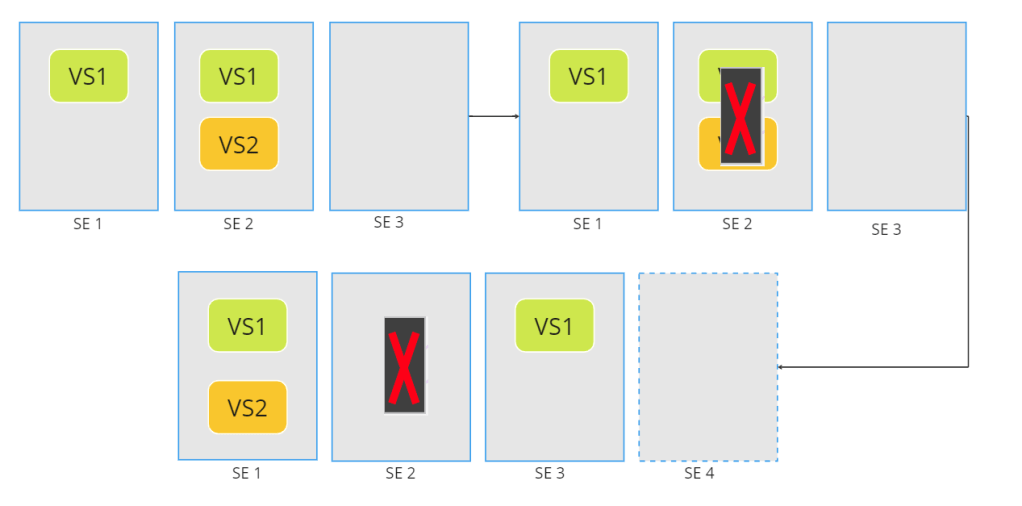
CuriousTechie: What happens if I scale an individual virtual service? How will that affect?
ITGuy: The logic remains the same, let’s say you have same sizes virtual service, but you have scaled VS1 on 2 SE’s then to maintain the buffer a third SE will be created.
CuriousTechie: Is it possible to have only one Service Engine if I need to save cores may be for non-production or Lab purposes?
ITGuy: Absolutely! You may just use M ( Buffer ) = 0 and N ( Scale per VS) = 1
CuriousTechie: Cool! Do you have any recommendations on which mode to use or some criteria to decide which mode can be used in a scenario?
ITGuy: Major criteria to choose the mode is the failover time of each HA mode and of course application requirements.
CuriousTechie: Can you share some details about the failover time for each mode?
ITGuy: Failover have few steps and different modes may need a particular step or not and that defines the failover time.
Failover Steps
- SE failure detection
- Controller determines the target SE to failover
- Controller creates new SE
- Copy VS configurations to new SE
- Configure vNIC on the new SE
- Move VIP via GARP or API(cloud)
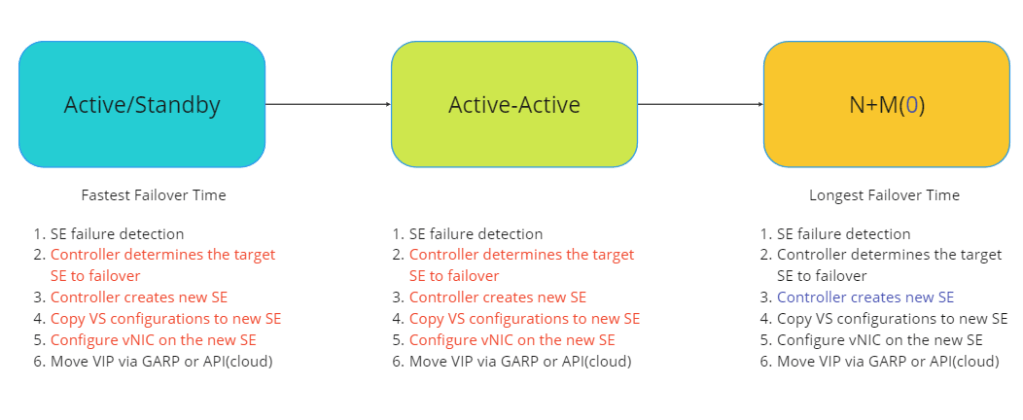
ITGuy: As you can see, Active/Standby and Active-Active already have most of the configuration pre-decided thus failover is very fast and N+M and N+M(0) have quite a few decisions to make in order to perform a failover hence slower.
CuriousTechie: Got it! Thanks!
ITGuy: Hope this was helpful, see you later!
 Curious-Techies