

Recently I had an interesting conversation about implementing micro-segmentation using NSX Distributed Firewall and things to be careful about while implementation.
CuriousTechie: Hey, I was implementing Micro-segmentation in my Lab using DFW and I broke the Lab. Can you check if it can be fixed or I have to rebuild from scratch again!!
ITGuy: Let’s take a look at the problem and see if we can recover from it. What did you do?
CuriousTechie: I was testing micro-segmentation and changed the default rule to reject all traffic.
ITGuy: Let me guess..! You forgot it’s a collapsed cluster and you accidently locked away your NSX manager and vCenter ?
CuriousTechie: Exactly! Now I am unable to access NSX and vCenter. But I do have access to NSX via console, can we try to change the default rule from there?
ITGuy: That will not help because your NSX manager won’t be able to reach the ESXi host to push the config change. Do you have root access to the ESXi host where NSX and VC is running?
CuriousTechie: Yes I have access to the host.
ITGuy: Then probably we can recover your lab back but of-course there will be downtime for the VM’s running on the host where NSX manager is running.
CuriousTechie: Yeah let’s do it, its may lab!
ITGuy: Lets login to the host and validate the rules applied on the VC/NSX VM’s.
On the ESXi host run summarize-dvfilter to get the name of the nic for VC/NSX VM’s
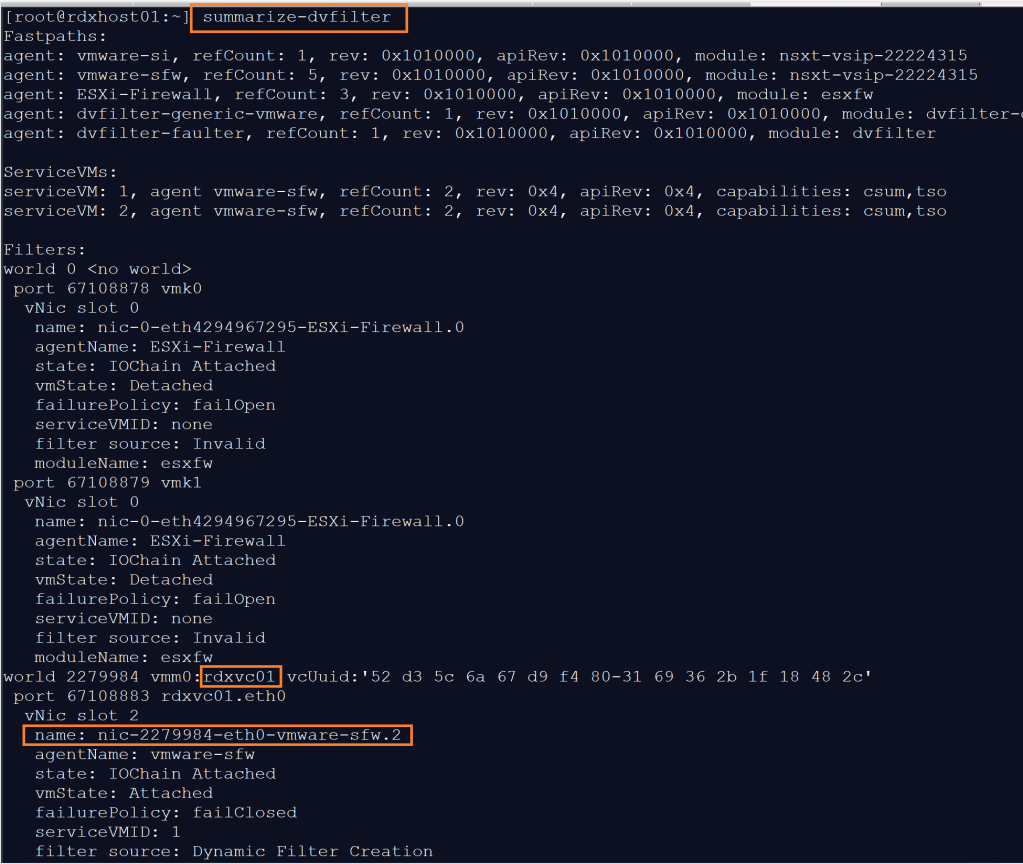
Now lets validate the rule which is dropping all the traffic.
vsipiotcl getrules -f nic will give you the exact rules applied on the VM nic
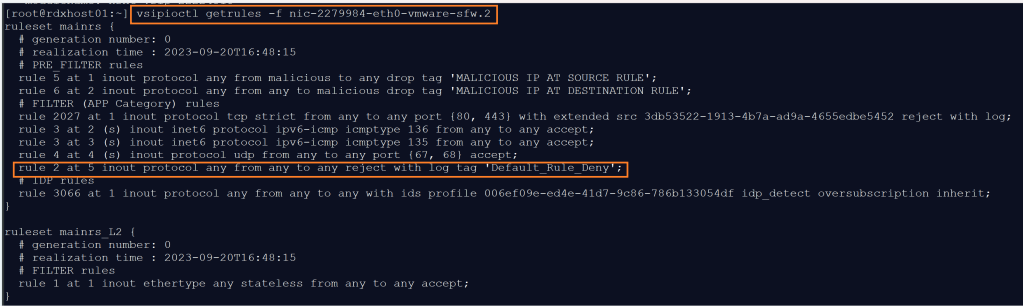
CuriousTechie: Yeah that’s the default rule 2 which is dropping all the traffic!
ITGuy: Let’s go back to basic of how DFW works on an ESXi host to find a way around this problem. Do you know what is the Kernel Module which implements DFW on the host?
CuriousTechie: It’s the VSIP module.
ITGuy: Right! Follow the below steps on the Lab and see how it goes.
- Shutdown/Poweroff all the VM’s running on this host
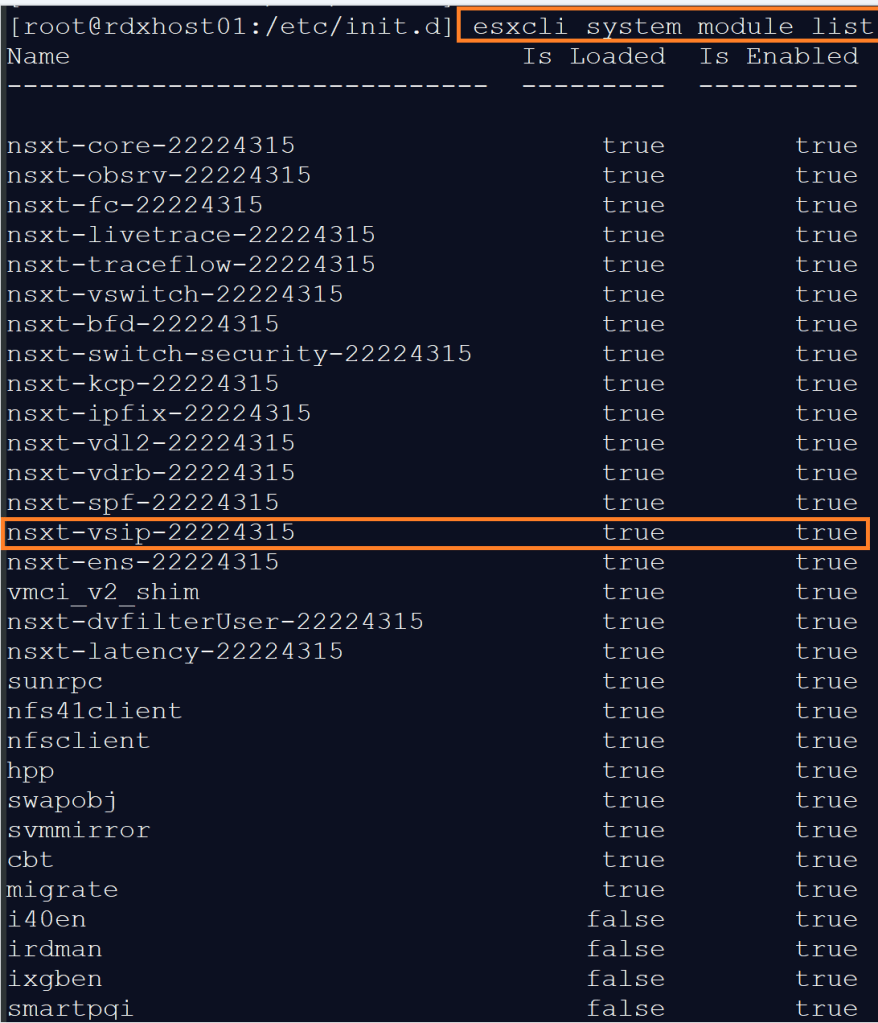
- Verify the VSIP kernel module is loaded and running on the host
- Disable the VSIP module
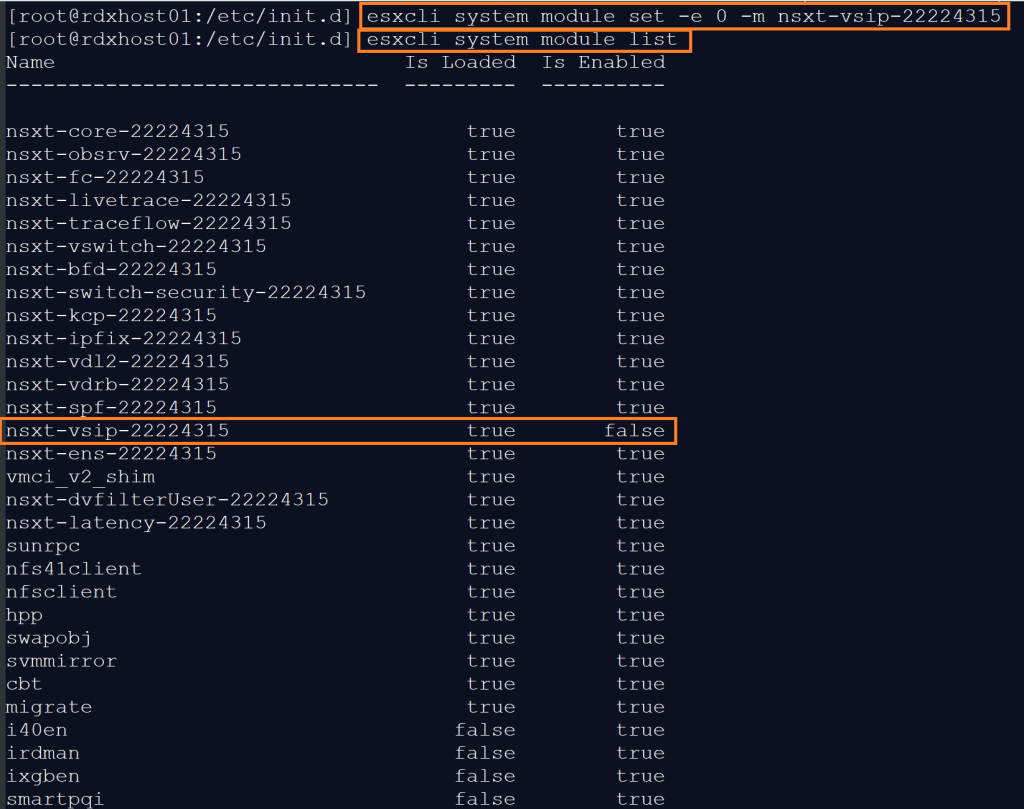
- Reboot the host
- Validate the module loaded status is false once the host up
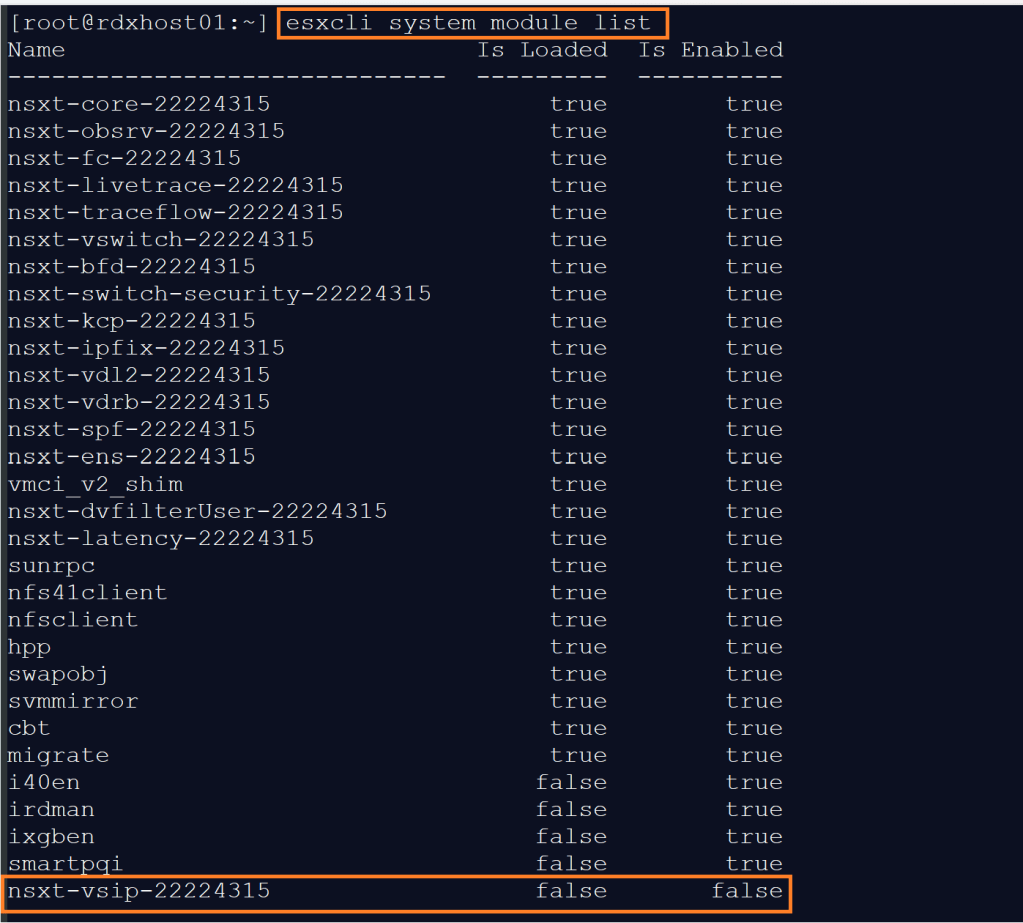
- Power On VC/NSX Manager and you should be able to access them because DFW is not running on that host now.
CuriousTechie: Wow! Now I am able to access NSX manager and can change the default rule to allow.
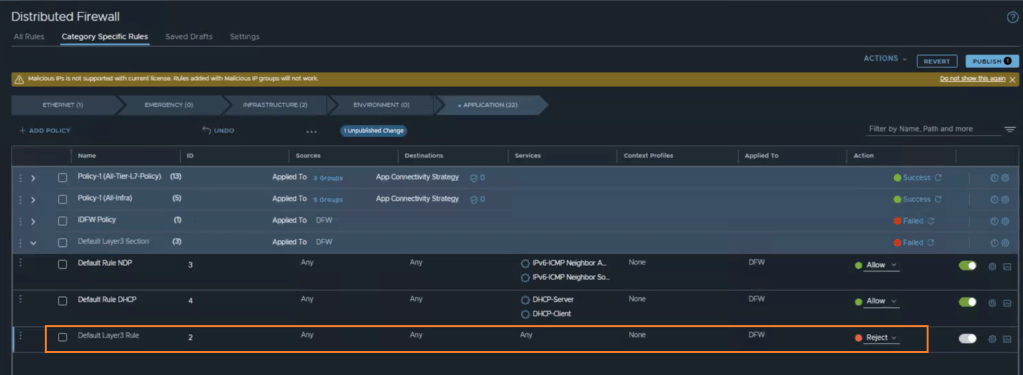
ITGuy: Please make sure to load vsip the module back accordingly on the ESXi host. Can you tell me what are the key takeaways from this scenario?
CuriousTechie: I have two key learnings here.
- Always add NSX and VC in the Exclusion list at the start of DFW implementation to avoid being in this situation
- ESXi Root user is very powerful and must be always secured in a production environment.
ITGuy: Perfect!! Enjoy working on your lab and keep learning!
 Curious-Techies