
A conversation about how Gateway Firewall works on a Customer Managed Compute Gateway (CGW) i.e. custom Tier-1 Gateway implemented on VMware Cloud On AWS.
CuriousTechie: Hello IT Guy, I am exploring the functionality of Customer Managed CGW in VMConAWS and I am confused about the Gateway Firewall implementation. Can we discuss how it is implemented?
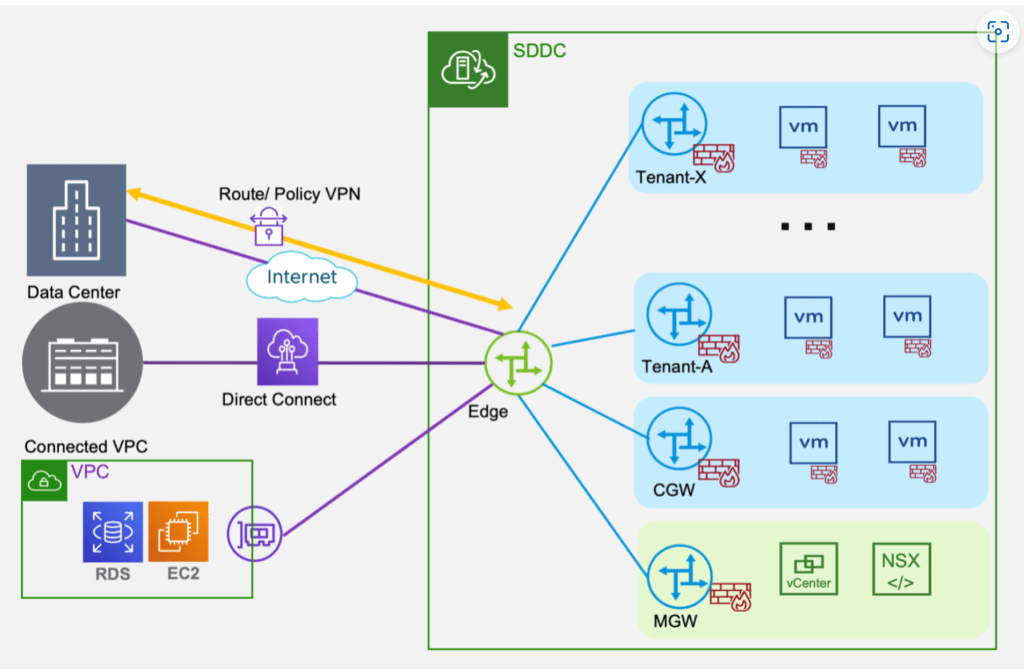
ITGuy: Sure! Did you get a chance to read this blog post here, it provides a good description of the feature and its functionality. On a high level the topology looks like this.
CuriousTechie: Yes, I have read this post, but the implementation of Gateway Firewall is still not clear to me. For example, when I try to configure rules on CGW, I get the option in the Applied To field to select the uplink where I want to apply the rule as shown below.

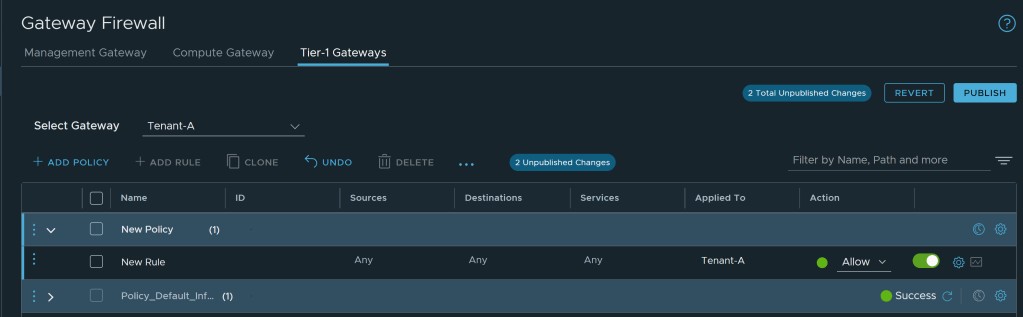
But that is not the case when I try to configure a rule for a Customer Managed Tier-1 Gateway. Only option in the Applied To field is to select the Tier-1 Gateway as shown below. How can I create a rule specifically for an uplink for example Internet access?
ITGuy: Let me help you clarify this with a diagram.

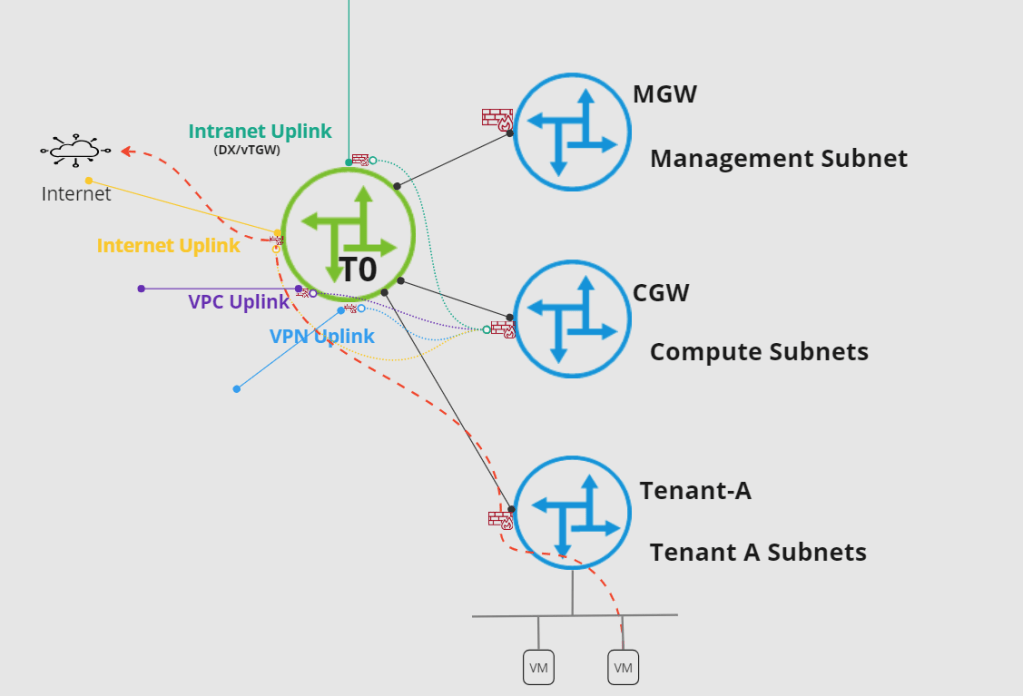
This is very specific to the implementation in VMC, when you create a rule on CGW and select an interface in Applied To field, the rules are actually implemented on the Uplinks of T0.
But when you create a rule on a customer created Tier-1 Gateway, then the rule is applied to the Uplink of the Tier-1 Gateway which actually connects to T0 Gateway.
In an on-premises environment this topology is very clear because you can see T0(with different edge uplinks) and T1(only uplink to T0)
CuriousTechie: If I understand correctly, for a segment which is connected behind a Custom Tier-1 Gateway the traffic will pass through two Gateway firewalls.
- Tier-1 Gateway Firewall — Applied on uplink of Tier-1 — Managed via Tier-1 Gateway Firewall tab in UI
- Tier-0 Gateway Firewall — Applied on uplink of Tier-0 — Managed via CGW Gateway Firewall tab in UI
ITGuy: That’s right!
For example, consider a VM connected to a segment behind Tenant-A Tier-1 gateway needs to reach out to internet. There could be rule to allow or drop that traffic at Tier-1 gateway(Default is ALLOW) and there must be a rule to allow or drop that traffic at CGW(Default is DROP). Red line shows the traffic passing through different components of NSX inside the SDDC of VMConAWS.
CuriousTechie: Thank you for explaining this.
ITGuy: Cool! Just to keep in mind the same logic also applies to NAT rules on Customer created Tier-1 Gateways.
 Curious-Techies