
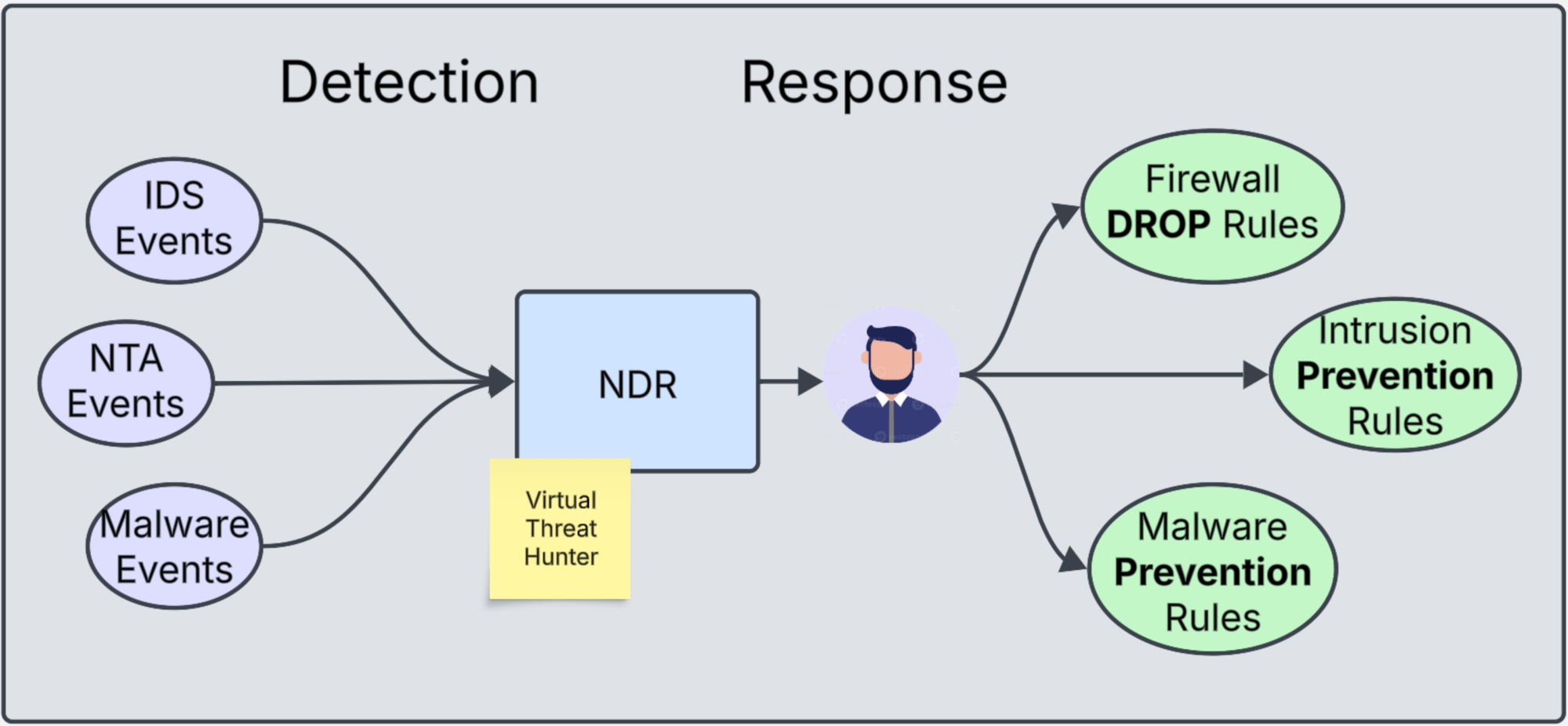
A conversation about understanding the use and importance of vDefend Network Detection and Response.
CuriousTechie: Hello IT Guy! In the previous discussion here we talk about SSP(Security Services Platform) and the features we can activate/run on SSP. Can you help me understand how does the feature Network Detection & Response(NDR) actually detects and responds to threats?
ITGuy: That’s a very interesting feature!!!! When you activate NDR it does NOT actually Detects and Responds to any threats!!!
CuriousTechie: What???? Really???? Then what does it do????
ITGuy: Let’s take a non IT example to understand it first. Imagine you have been assigned to manage the security of a building. Valuable items are kept in some rooms of the building. How will you secure the valuable items?
CuriousTechie: I will make sure the building perimeter is secured with a gate & security guard. The room where the valuables are kept is locked. It will be accessible only by necessary people with access cards.
ITGuy: Perfect! Let’s imagine the lock on the building Gate is the Perimeter/Gateway Firewall. The locks on the doors are your Distributed Firewall. It allows traffic only on required ports from certain IPs. (Access cards) What else would make absolute sense to improve the security?
CuriousTechie: A notification whenever someone enters’ the room and also a security camera to monitor.
ITGuy: Right!!!! Think of the the notification as your Firewall/IDPS logs/events. Security camera can help you to find a person roaming around in the building floor in unusual hours. That person may or may not have malicious intent but the Security camera records the activity. You can consider that security camera as the feature Network Traffic Analysis(NTA), we talked about it here. Network Traffic Analysis (NTA) helps you to detect anomalous activity and malicious behavior in the environment.
CuriousTechie: Cool! That’s an interesting analogy!! Where does NDR come into picture in this scenario?
ITGuy: Your individual events come from various sources. These include the security camera feed (NTA Events) and door access swipe notifications. Some person may be carrying something malicious like a weapon (IDPS Events from Gateway and Distributed IDS). An intruder with a stolen identity (access card) can look like a normal user. However, they can bring a harmful object into the room (Malware Event).
But, you do need a person who can monitor the camera feeds. He/she should also read all the emails/alerts coming in from different notification sources. The person should be able correlate all these different events happening and say “An intruder is in the building with a malicious intent“
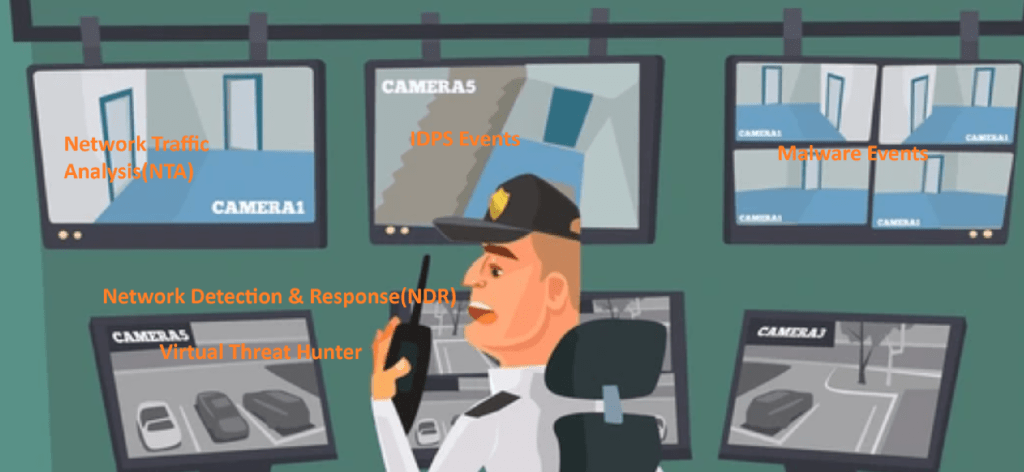
In IT security world that person is known as a Threat Hunter. In our scenario, NDR is our virtual threat hunter. It can monitor all these different types of events. It can display these series of events in a campaign form. This campaign shows the information using an industry standard terminology for Tactics, Techniques and Procedures under MITRE ATT&CK framework. This framework can be explored in details here. Below is a screenshot how a simple campaign looks like.
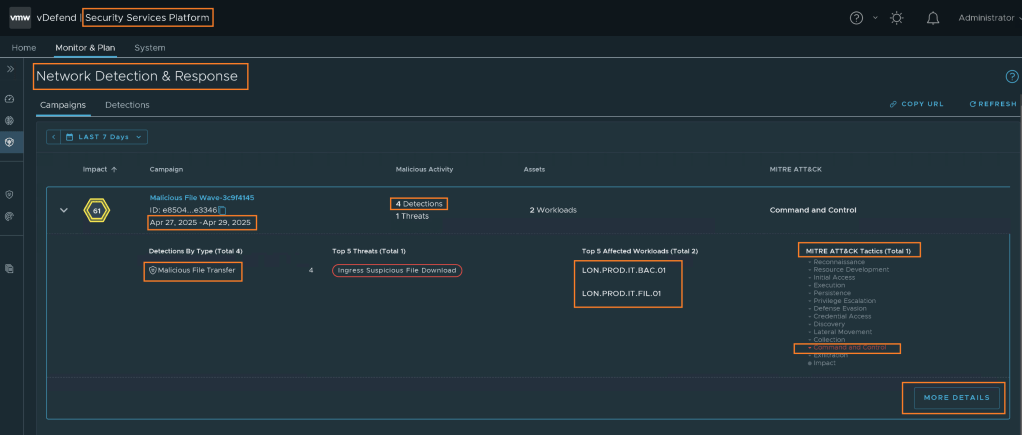
You can see the Date range of the campaign. It usually shows the first & last date of the event which is considered a part of this campaign. You can see the Detection By Type, that shows it was detected by an IDPS or NTA or Malware event. In this example that symbol shows there were 4 Malware events. You can see the workloads affected by this Threat. It also aligns the Threat with the MITRE ATT&CK framework. In this example, it was aligned to the Command & Control Tactic. You can click on MORE DETAILS to find the details about each of those 4 events their time stamps etc.
CuriousTechie: Very Interesting!! I totally understood the Detection part of the NDR. Can you help me understand the Response part too? How does it responds to the events?
ITGuy: Let’s go back to the secure building example to understand this. The security admin in the CCTV room can see in the camera feed that an intruder is performing a malicious activity. The intruder might be trying to steal a valuable object. How does this admin take action? What can he/she do?
CuriousTechie: Security admin can lock the door remotely so the person can not run away with the valuable object. Call for other security personals to catch the intruder and neutralize the threat.
ITGuy: Perfect!! You almost answered everything! The person in the CCTV room locked the door. That’s creating Firewall DROP rules. Security personal were in the monitoring mode but they were asked to go into prevention mode and neutralize the threat. That’s changing the Intrusion Detection Policies to Intrusion Prevention Policies and same applies for Malware Prevention policies.
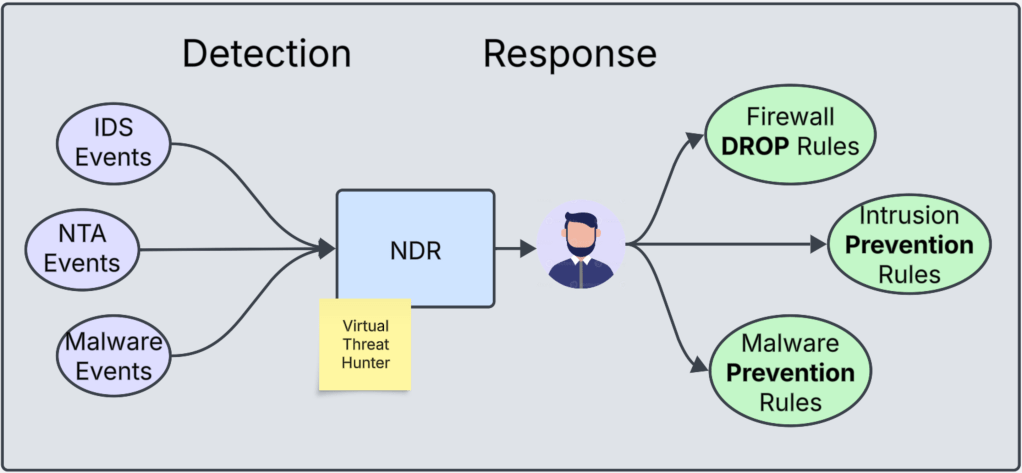
CuriousTechie: This is really cool! But just for conversation, why can’t we put the locks in the first place? The Firewall drop rules and IPS / Malware prevention rules?
ITGuy: You can! But usually, it’s quite time consuming and a daunting task. You need to know about each room in the building first. Then, open only the required doors(micro-segmentation). It is also necessary to have guards on each door. They must check everyone’s identities and also inspect the bags people are carrying(IDPS/Malware) and also stop them if required. That actually aligns with the concept of Zero Trust that we discussed few months back here.
You can be on your journey towards zero trust implementation. But having a virtual threat hunter giving you insights of the environment will be a great value addition. This will improve the security posture exponentially. This can be your Security Admins best friend before, during and even after implementation of Zero Trust.
CuriousTechie: Can NDR directly take action to implement DROP or Prevent rules without any Human intervention?
ITGuy: Workflows can be created to take action but think of it from the secure building prospective. Would you like to give a junior security admin the capability to lock down the building? Probably No!!! because there can always be some aspect of the environment which is not known by the junior admin.
For example, a very important activity is being performed in the building for the first time. Junior admin(NDR) might not have seen that before and prevents that from happening as per SOP(Standard Operating Procedure). However, that activity was very critical for the business and failed because of the action taken by the junior admin. In this case, junior admin was not at fault because he/she just followed instructions(workflow). But business had to take the hit.
I believe, we can take all the help possible from AL/ML algorithms which powers the NDR system. But the final decision to take a preventive response should always remain with a person/team for accountability.
CuriousTechie: This is a great insight! My CISO will definitely love to have tool like this deployed in the environment.
ITGuy: In my honest opinion, this is a great tool. Every CISO should have this tool in their disposal if they are responsible for the security around VMware SDDC environments.
CuriousTechie: Thank you! This is a very interesting feature and would like to explore more on the technical standpoint. Where can I find more information about it.
ITGuy: You can definitely explore more about it on the official documentations here.
 Curious-Techies
One Reply to “”