Understanding Catch-All Rules in vDefend Firewalls

A Conversation About Different Types of Catch-All Rules While Implementing vDefend Distributed Firewall

CuriousTechie: Hello IT Guy! I’m starting a project to implement micro-segmentation using vDefend Distributed Firewall (DFW) for applications running in my SDDC environment. I’ve read that I need to implement Catch-All rules to analyze traffic. Can you help me understand what these rules actually mean and how they should be built?

ITGuy: Let’s start with the basic. Firewalls are generally implemented using two major approaches:

  1. Allow List – You explicitly create ALLOW rules for known, required (good) traffic.
  2. Block List – You explicitly create DROP rules for known, unwanted (bad) traffic.

When you micro-segment an application, you typically need to build ALLOW rules for all required (known) traffic for the application to function properly. At the end of these ALLOW rules, you usually place a DROP rule to block all unwanted or unknown traffic.

However, In brownfield environments, teams often lack complete visibility into all application dependencies. Enforcing a default DROP rule prematurely, without sufficient traffic analysis, can therefore result in unintended application outages.

To address this challenge, a Catch-All rule is implemented to monitor and log traffic that does not match any existing ALLOW rules, enabling teams to identify missing dependencies before enforcing restrictive security controls.

In simple terms, a Catch-All rule is a temporary monitoring rule placed at the bottom of an application-specific Distributed Firewall policy to observe traffic that is not yet explicitly allowed. This rule is typically configured in ALLOW mode with logging enabled during the discovery phase, prior to enforcing a strict default DROP posture.

CuriousTechie: How does the Catch-All rule help monitor traffic? What tools can be used for this analysis?

ITGuy: When traffic hits the Catch-All rule, it indicates that no explicit ALLOW rule has yet been defined for that specific flow. If that traffic is required for the application, a corresponding ALLOW rule must be created above the Catch-All rule.

At a high level, there are three ways to monitor traffic hitting Catch-All rules:

  1. Use Security Intelligence(Preferred) – Security Intelligence is a feature running on the Security Services Platform (SSP) that provides visibility into traffic flows across the environment and generates data-driven Distributed Firewall rule recommendations, while maintaining centralized policy governance.
  2. Use VCF Operations for Networks (formerly vRNI, also known as AON) – This tool can be used to analyze flows passing through a particular DFW rule ( the Catch-All ). Required rules can then be created manually or using other preferred method.
  3. Use VCF Operations for Logs (formerly vRLI, also known as AOL)– VCF Operations for Logs is best suited for verification and deep-dive troubleshooting rather than initial dependency analysis, as packet-level inspection can be time-intensive and operationally complex.

CuriousTechie: Should I create two Catch-All rules for Ingress and Egress, or use a single rule and just use the Applied To field?

ITGuy: Excellent question! Let’s look at the differences between these two approaches.

Option 1: Use separate rules for ingress and Egress

This approach can be useful when you are manually analyzing flows, as having two separate rules allows you to focus on ingress and egress traffic independently. It can provide some operational convenience.

However, there are a few challenges with this approach:

  • The Catch-In rule does not capture multicast or broadcast traffic targeting the vNIC, which can result in incomplete visibility during the discovery phase.
  • When using Security Intelligence, traffic hitting ingress and egress Catch-All rules is classified as Protected, which means it is treated as intentionally permitted and is therefore excluded from recommendation analysis.

Option 2: Use a Single Catch-All Rule

This is the recommended and default approach for modern implementations using Security Intelligence.

This method overcomes the limitations of the previous approach by capturing all traffic hitting the vNIC of virtual machines that are members of the group specified in the Applied To field.

Traffic flowing through a single Catch-All rule is classified as Unprotected, making it eligible for Security Intelligence analysis and rule recommendation generation.

Catch-All rules should be time-bound and periodically reviewed, with the objective of replacing them with explicit ALLOW rules and ultimately enforcing a default DENY posture in alignment with zero-trust principles.

CuriousTechie: This is great information! I’ll plan to use the single Catch-All rule approach.. But I am very curious to understand:

  • Why is multicast and broadcast traffic not captured by the Catch-In rule in the first scenario?
  • What exactly do Protected and Unprotected traffic mean in Security Intelligence?

ITGuy: Great questions! Let’s dive into these topics the next time we talk!
Prepare for VMware vDefend Certification in 1 Week

A Conversation About Preparing for the VMware vDefend Security Certification (6V0-21.25)

CuriousTechie: Hello IT Guy! I need to prepare for and attempt for the VMware vDefend Security certification within a week’s time. Is that doable? What’s your opinion?

ITGuy: The answer is subjective. It depends on your current skill set, how much time you have spent working on NSX vDefend and how many hours you can commit to the lab over the next 7 days.

CuriousTechie: I have been a NSX admin for a few years now, and I work with the Distributed Firewall (DFW) daily. Does that put me in a good spot to crack the exam in one week?

ITGuy: That’s a great start! Let’s look at the exam blueprint. The VMware vDefend Security exam (6V0-21.25) is currently based on VCF 5.x (NSX 4.x). Here are a few pointers:

  • This is an Administrator-level exam so you can expect low level questions on configuration options for a feature
  • It tests core NSX basics, the Security Services Platform (SSP), and the Advanced Threat Prevention (ATP) suite.
Continue reading “Prepare for VMware vDefend Certification in 1 Week”

AVI (NSX-ALB) Quick tip for troubleshooting network connectivity!

A short conversation on how to check and troubleshoot network connectivity from AVI Service Engines.

CuriousTechie: Hello IT Guy, I am new to AVI and sometimes I get stuck in troubleshooting connectivity issues on service engines. Is there a way to check connectivity of the data nics from the service engines?

ITGuy: Sure there is a simple way! You may login to the network namespace of the data nic inside the service engine and check the connectivity.

CuriousTechie: Can you please show me how to do that? Here is my scenario!

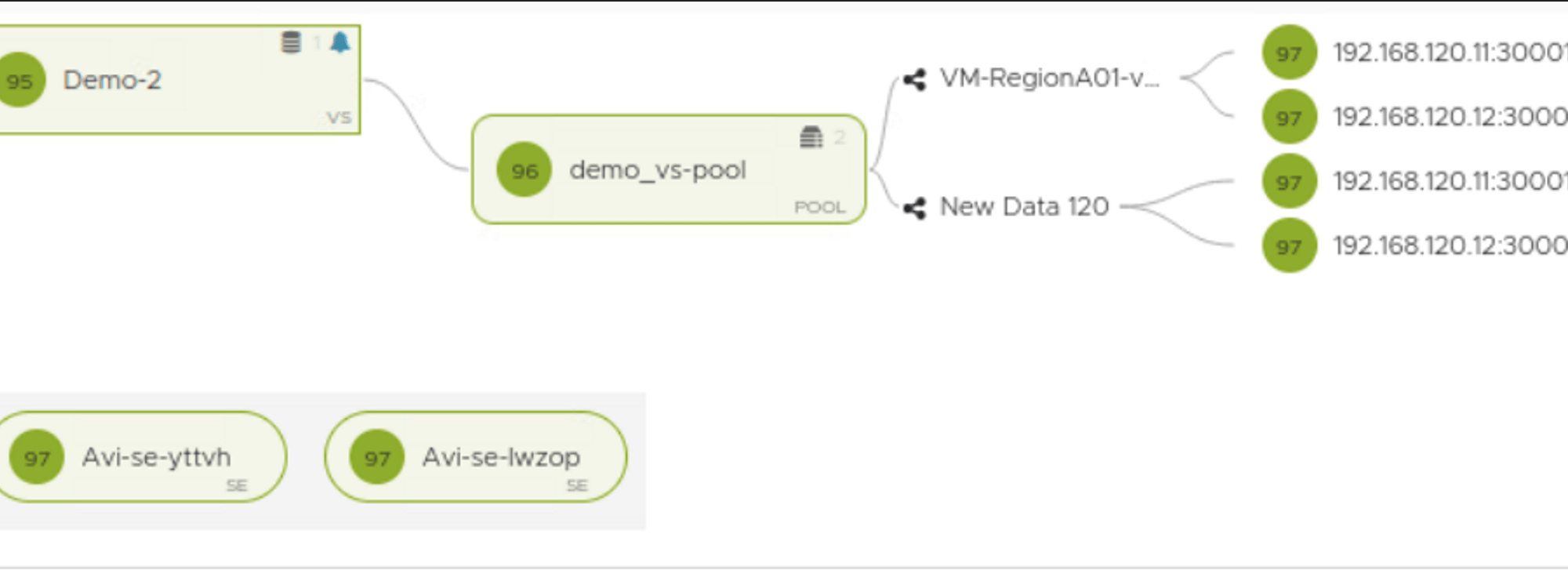
I have NSX-T cloud with service engines running, I have created a virtual service but the Virtual Service is DOWN and the Pool is DOWN as well. Also I am not able to reach the SE data nics.

Continue reading “AVI (NSX-ALB) Quick tip for troubleshooting network connectivity!”

Broke my LAB with Distributed Firewall !!!

Recently I had an interesting conversation about implementing micro-segmentation using NSX Distributed Firewall and things to be careful about while implementation.

CuriousTechie: Hey, I was implementing Micro-segmentation in my Lab using DFW and I broke the Lab. Can you check if it can be fixed or I have to rebuild from scratch again!!

ITGuy: Let’s take a look at the problem and see if we can recover from it. What did you do?

CuriousTechie: I was testing micro-segmentation and changed the default rule to reject all traffic.

ITGuy: Let me guess..! You forgot it’s a collapsed cluster and you accidently locked away your NSX manager and vCenter ?

Continue reading “Broke my LAB with Distributed Firewall !!!”

NSX ALB Virtual Service Placement

A conversation about placement of Virtual Services on NSX ALB Service Engines

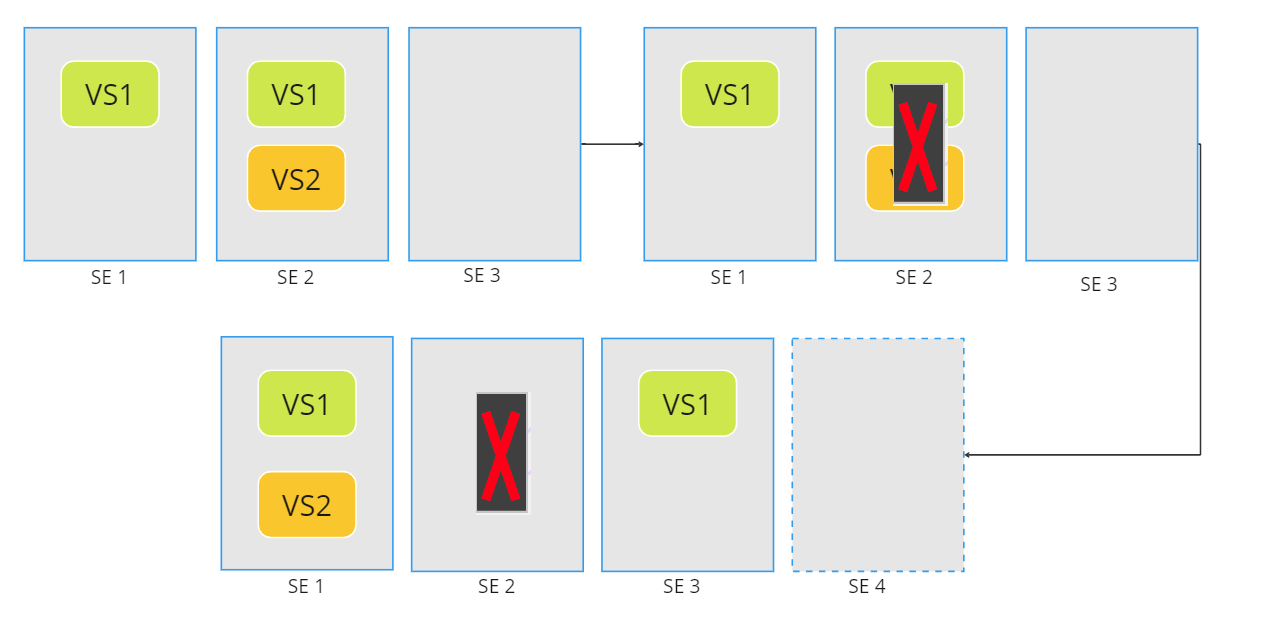
CuriousTechie: Hey IT Guy, I am starting my starting my journey with NSX ALB and I am little confused with different knobs in the Service Engine Group setting to manage the Virtual Service Placement. Can you show me around the setting to build a better understanding?

ITGuy: Yes, sure! Let’s start with some basic understanding of the knobs and then we can work on few scenarios to see how the placement works.

Continue reading “NSX ALB Virtual Service Placement”

Quick NSX D-IDPS validation

A conversation about basic validation of NSX Distributed Intrusion Detection and Prevention System

CuriousTechie: Hey IT Guy, I am doing a Green filed deployment and have enabled NSX distributed IDPS in the environment. It may take few days to setup a testing environment with Security testing tools to simulate attacks and validate if the NSX D-IDPS is actually working or not. Is there a way to quicky validate the basic intrusion detection and prevention functionality of the solution?

Continue reading “Quick NSX D-IDPS validation”

Changing Service Engine Network in NSX ALB

CuriousTechie: Hey ITGuy ! I have a scenario with NSX ALB that I need to work on, can we talk about it?

ITGuy: Sure! Let’s understand the scenario and we can evaluate a feasible solution.

CuriousTechie: I have few Active Virtual Services running in my AVI environment on vCenter Write Access cloud. Frontend VIP and Backend Servers are on different networks and the deployment is on Two Arm mode.

Due to some backend configuration on vCenter, I had to create new DV PortGroups for the same VLAN communication and now I need to make sure that my AVI Services Engines gets connected to the new PortGroups that I have created and not on the old ones.

ITGuy: For normal VM’s running in the environment, this move is as easy as changing the network adapter of a VM but for Service Engines that is not the case. If you change the Network adapter of the SE from vCenter then it would result in mismatch of configuration between AVI and vCenter. For example, in vCenter you will see SE connected to New PortGroup but in AVI console you will see the SE connected to Old PortGroup.(Do not try that!)

The way to perform the activity is by using proper placement networks and during this activity your Virtual Service will not be available for some time thus it will be best done during maintenance window. Let’s see how it can be done!

Continue reading “Changing Service Engine Network in NSX ALB”