
CuriousTechie: Hello IT Guy! I manage a vDefend Distributed Firewall (DFW) environment and often add, update, or delete rules. Is there a way to track the specific changes I make for a particular change ticket?
ITGuy:Absolutely! You can use the DFW Rule Comments field to track any changes tied to a specific rule.
CuriousTechie: How can I use that effectively? Can you give me a practical example?
ITGuy: Let’s say you receive change ticket CM12345. To implement it, you need to add a Layer 4 service port (TCP 8080) across three different rules.
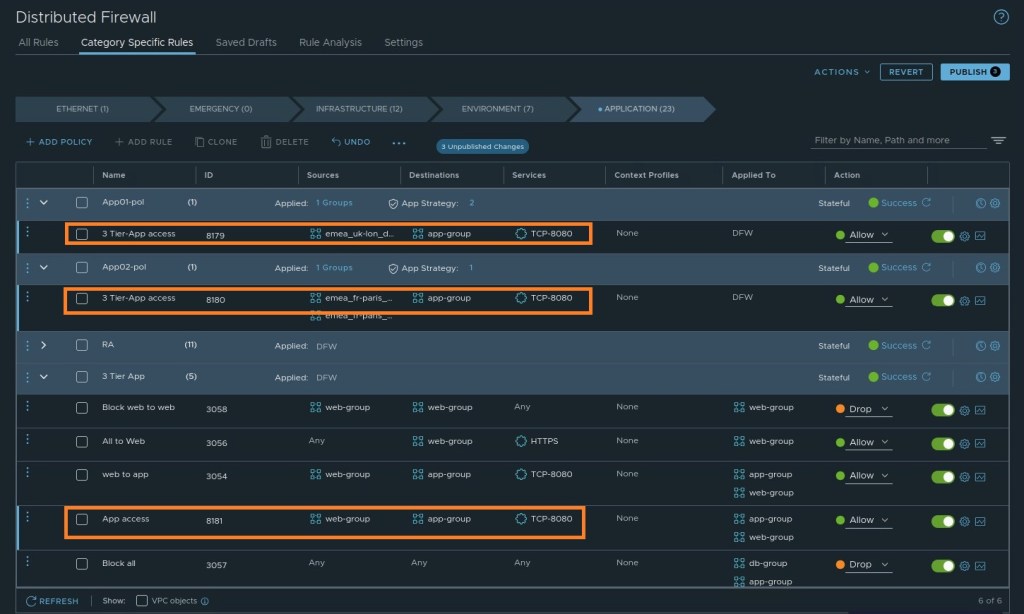
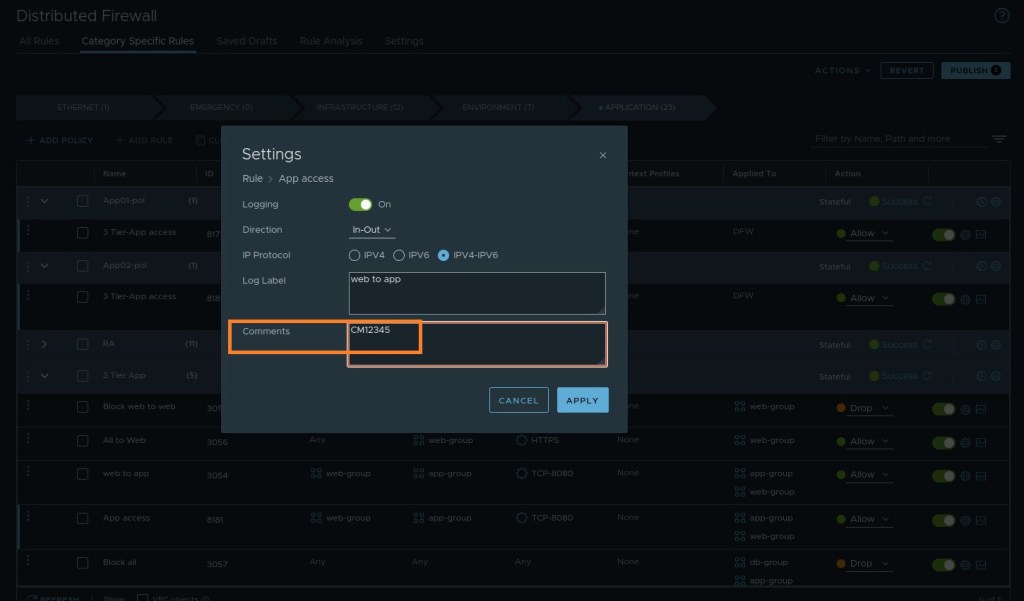
When creating or updating those rules, simply paste the ticket number (CM12345) into the comments section for each one.
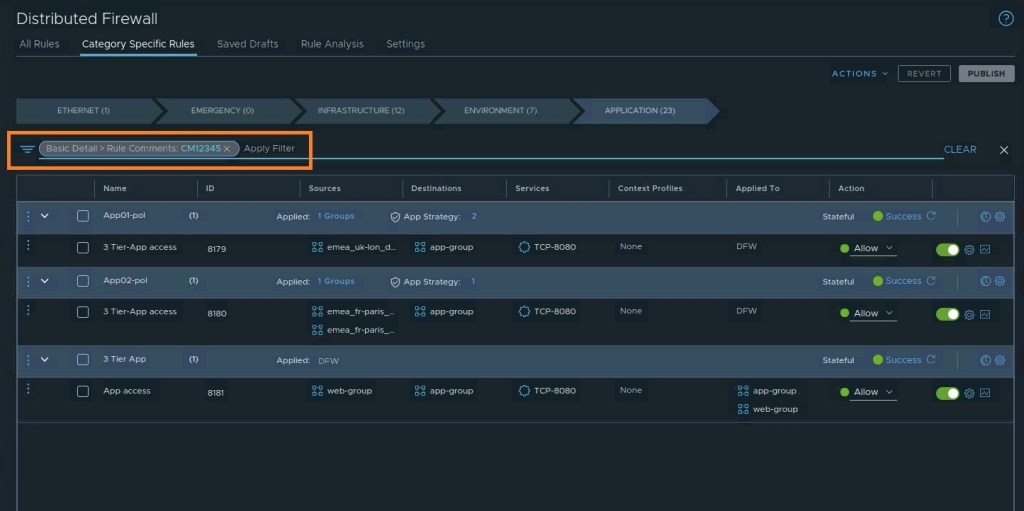
Later, if you need to audit that change, you just type “CM12345” into the DFW search filter. It will instantly pull up every rule containing that comment.
CuriousTechie: That is very helpful. I assume I can add multiple comments if a rule gets updated again later for a different ticket?
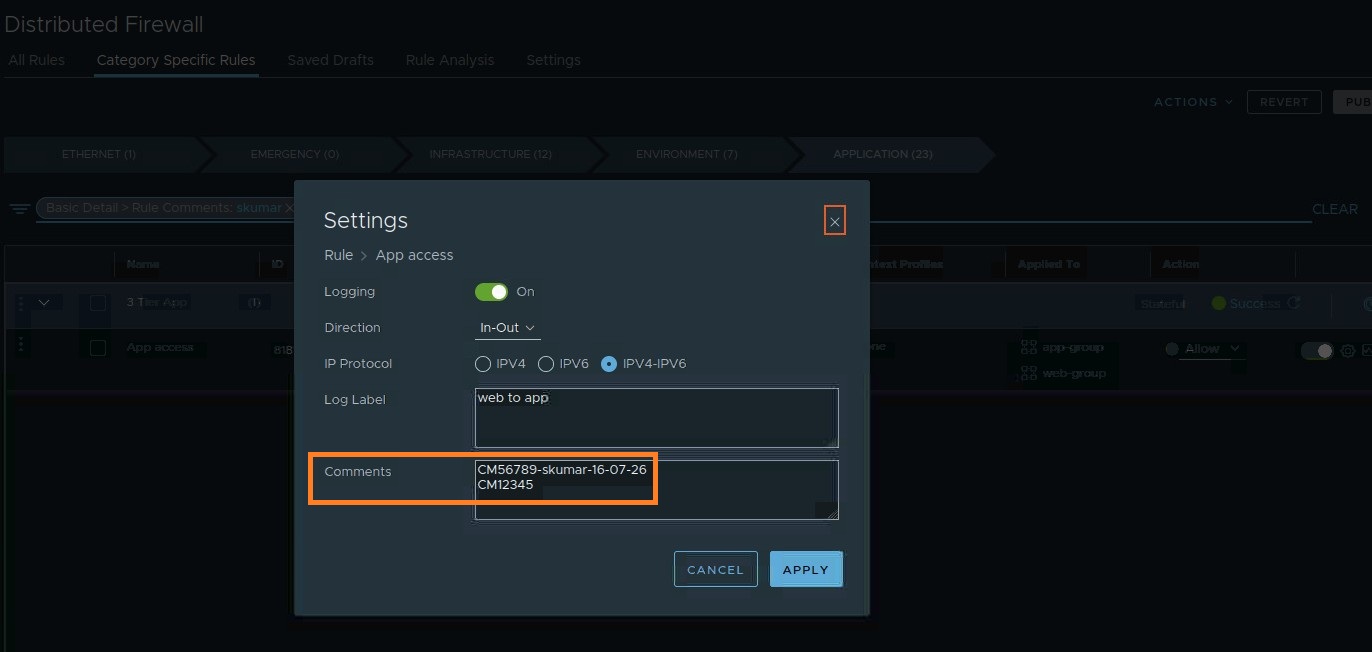
ITGuy: Yes, you can add multiple comments for tracking. To get the most out of this feature, I highly recommend adopting this format:
- Format:
[Change Ticket Number] - [Username] - [Date] - Spacing: Use exactly one line per comment.
- Order: Always put the latest comment at the top.
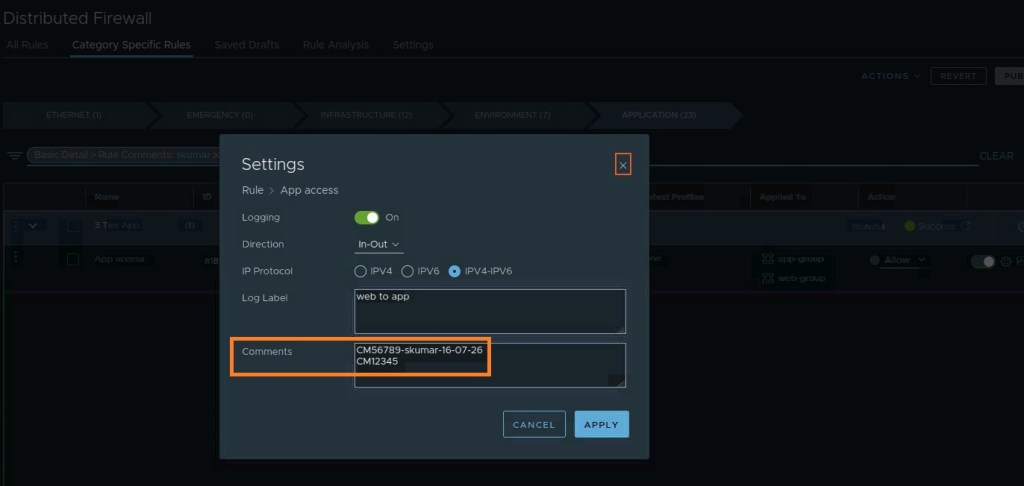
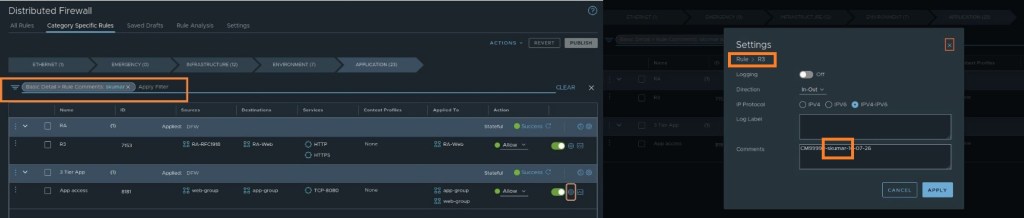
Following this format gives you a few extra auditing capabilities. For example
You can search for all the changes made by a particular user
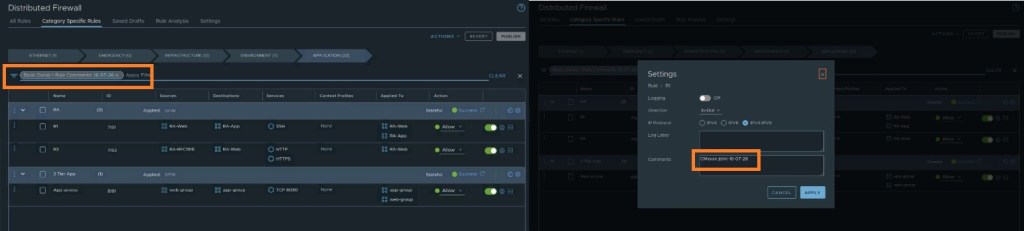
You can search for all the changes made on a particular date
CuriousTechie: Okay cool! And why latest comments should be on the top?
ITGuy: Two reasons. First, you usually want to see the most recent change at a glance without having to scroll. Second, the comment box has a 2,500-character limit. If a rule has been around for years and you run out of space, it’s much easier to just delete the oldest comments at the bottom of the box to make room for the new ones!
Conclusion
Tracking firewall rule changes doesn’t have to be a manual or tedious process. Leveraging the DFW Rule Comments field in vDefend is a simple but highly effective way to link your technical implementations directly back to your Change Management system. By adopting a consistent comment format and keeping the most recent updates at the top to manage the 2500-character limit, administrators can streamline troubleshooting and ensure seamless audits.
The next time you implement a change ticket, remember to take a few extra seconds to leave a well-formatted comment—your future self (and your auditing team) will thank you!
 Curious-Techies