
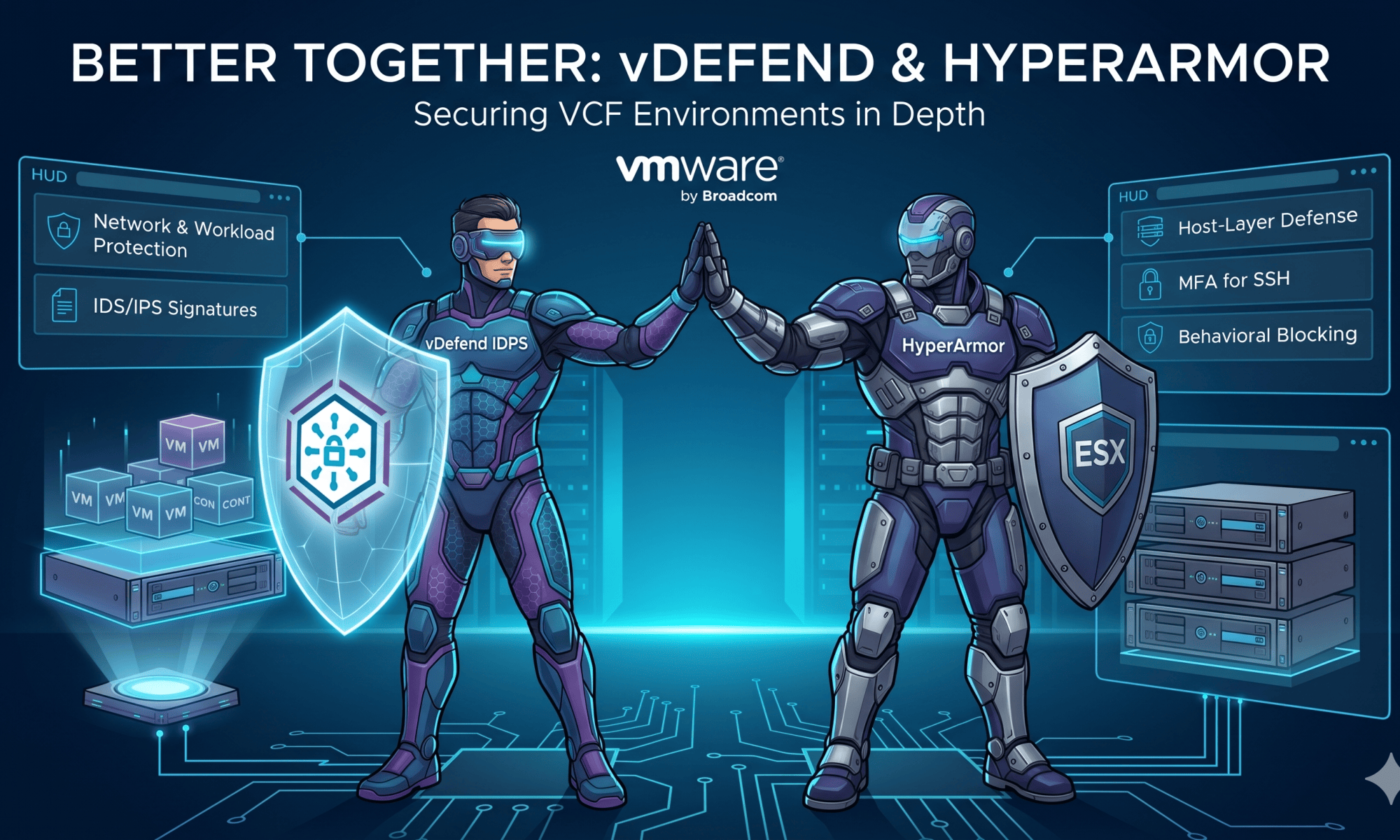
A quick chat breaking down how VMware HyperArmor and vDefend IDPS team up to secure your VCF environment from the ground up.
CuriousTechie: Hey ITGuy! I’ve been reading about VMware HyperArmor which is recently launched by Broadcom. I see it has some virtual patching capabilities !! Can you please help me understand what is it? Is it a competing product with vDefend IDPS? Or it works along side with vDefend IDPS ?
ITGuy: Very interesting questions! Firstly, these two are not competing products! Both HyperArmor and vDefend IDPS works on very different planes. HyperArmor is used to secure the ESX host but vDefend IDPS is used to secure or provide Intrusion Detection and Prevention capabilities for the workloads(VM/Container) running on the ESX hosts. Together these two can help you achieve extremely strong defense in depth strategy for a VCF environment.
CuriousTechie: Understood! But if they work in a different manner then how together can they provide defense in depth?
ITGuy: Let’s start from basics. If you are an attacker and want to gain access to ESX host, how will you try to do that?
CuriousTechie: Probably I will try to get access to ESX host via management VMkernel ports (vmk0) because it provides direct access to the ESX host.
ITGuy: Yes perfect! And that’s where first feature of HyperArmor comes into picture MFA(Multi Factor Authentication). As an attacker even if you manage to get hold of ESX credentials still you won’t be able to login without the 2 factor login code. Now let’s assume you have managed to gain access to the ESX host then as an attacker what would you do?
CuriousTechie: I can try to get access to workloads running on the host if I am interested in data theft or I may want to drop a ransomware and encrypt the ESX host and all workloads running on it. Also can try to move laterally to other ESX hosts and gain access for a multi host wide spread attack.
ITGuy: Wow! You are actually thinking like a seasoned hacker and you are right! If you get privilege access to ESX then you can potentially do all kind of bad stuff. That’s where the most important feature of HyperArmor comes into picture.
Active Defense and Behavioral Blocking: Continuously monitor and fortify the ESX
hypervisor with minimal overhead by blocking unauthorized executions and scripts.
CuriousTechie: Okay how is the feature “Active Defense and Behavioral Blocking” different from the HyperArmor feature “Virtual Patching for the Hypervisor“
ITGuy: Very good observation, in fact these two features are very tightly related. Yes, VMware HyperArmor explicitly provides host-level virtual patching for the ESX host. Though it achieves it through behavioral control and allowlisting rather than traditional network-based signatures. Here is exactly how HyperArmor’s virtual patching mechanism works:
- Real-Time Interception: Instead of looking for known threat signatures, it uses a positive security model to intercept process execution attempts in real time.
- Exploit Blocking: It effectively “patches” the system by monitoring host processes and automatically halting attempts to execute unauthorized binaries or scripts before an official CVE patch is deployed. By intercepting these actions in real time, it neutralizes vulnerabilities that an attacker could have otherwise successfully exploited to compromise the host.
- Zero Downtime: This approach immediately closes the vulnerability exposure window without requiring emergency host reboots or software upgrades, buying IT teams time to test and deploy official ESX patches on their own schedule.
CuriousTechie: Cool! You mentioned HyperArmor and vDefend IDPS can help me achieve defense in depth implementation but I don’t see how that is possible.
ITGuy: Alright! You already know how an attacker can attempt to attack the ESX host directly via the management interface, but there is another vector that is becoming a favorite for modern ransomware groups: entering via the workload VMs. Every VM is a process running on the ESX host. If an attacker compromises a VM, they can leverage hypervisor vulnerabilities to execute a “VM escape”—breaking out of the guest OS and taking over the underlying ESX host. While it takes sophistication, recent threat reports and active CVEs show that VM escapes are happening in the real world. You can read a detailed breakdown of how this works in this Huntress blog post: https://www.huntress.com/blog/esxi-vm-escape-exploit
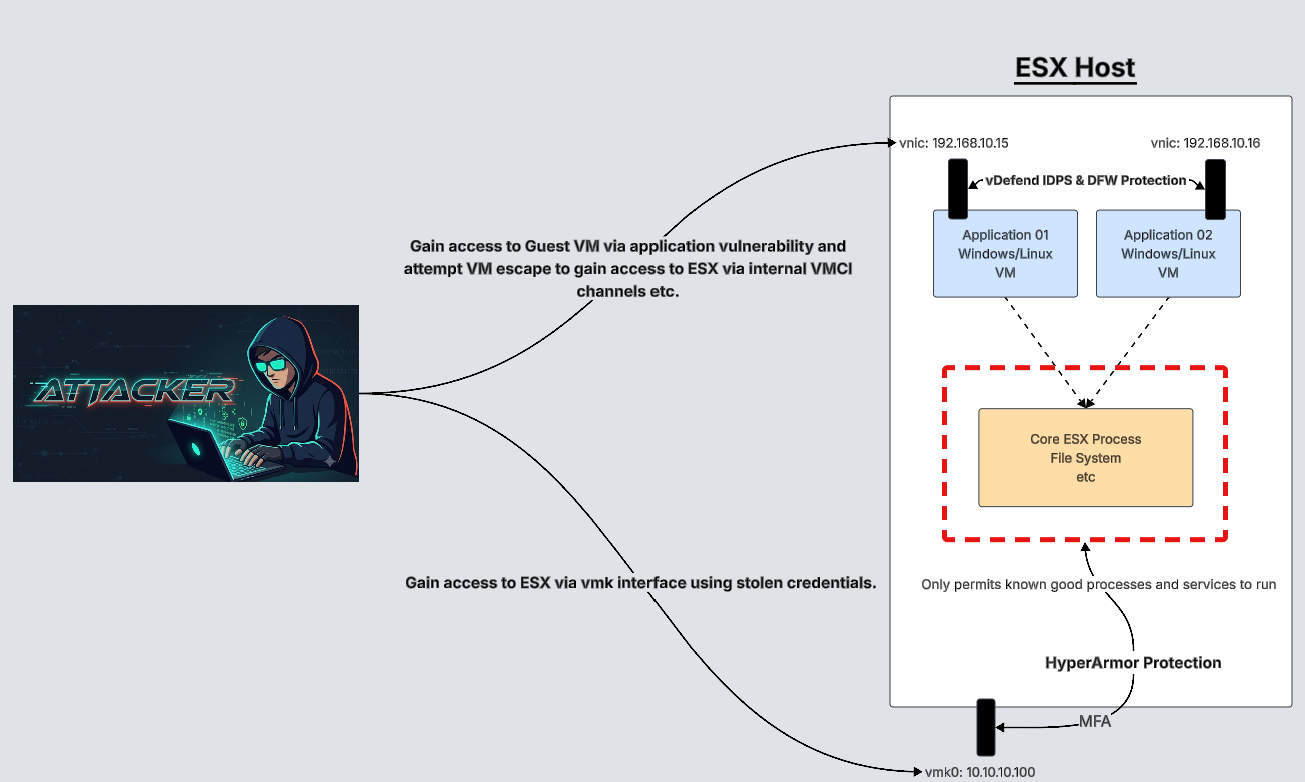
CuriousTechie: Very interesting read indeed! So because VM escapes are a real and growing threat, protecting the virtual machine workloads using vDefend IDPS acts as a necessary security layer for the ESX host itself?
ITGuy: Spot on! That is exactly what defense-in-depth is all about. By deploying vDefend IDPS at the workload level, you are inspecting the network traffic going in and out of every VM. It uses distributed IDS/IPS signatures to detect and block exploits before an attacker can even compromise the guest OS.
If they can’t compromise the virtual machine, they are stripped of the launchpad they need to attempt a VM escape attack against the hypervisor. So, vDefend IDPS acts as your network and workload shield, stopping the initial breach. Meanwhile, HyperArmor acts as your hypervisor stronghold. If an attacker somehow bypasses the network defenses, or attacks the management interface directly, HyperArmor is right there to block unauthorized executions and lock down the ESX layer. Together, they make compromising a VCF environment incredibly difficult!

