
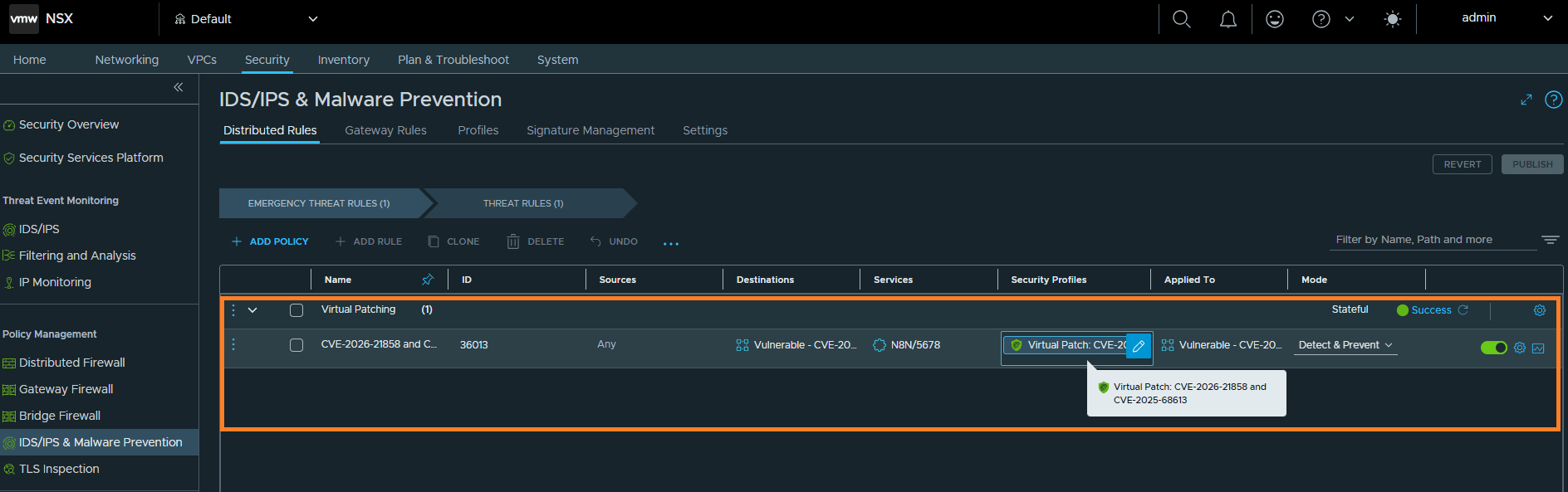
A short conversation to understand virtual patching using vDefend IDPS.
CuriousTechie: Hey ITGuy! I’ve been reading a lot about “Virtual Patching” recently. It sounds like some sort of magic shield for servers when a vulnerability is announced but the vendor hasn’t released a fix yet. What exactly is it?
ITGuy: “Magic shield” sounds really fancy! Virtual patching (sometimes called vulnerability shielding) is a security measure—or, in core infosec terms, a “compensating control”—that prevents the exploitation of a known vulnerability in an application or operating system without actually modifying the underlying source code or applying an official vendor patch.
Instead of updating the application itself, you place an enforcement layer—like an Intrusion Detection and Prevention System (IDPS) or a Web Application Firewall (WAF)—in front of it. This layer inspects incoming traffic, identifies the malicious packets trying to exploit the flaw, and blocks them before they ever reach the vulnerable application.
CuriousTechie: That makes sense. So it buys the operations team time to test and deploy the actual patch. But how does an IDPS actually work to catch this? What kind of network traffic is it checking?
ITGuy: Exactly, it buys you time. An IDPS generally works using a Signature-based detection. It looks for specific patterns or sequences of bytes in the network traffic that match known attacks—like a digital fingerprint. To do this effectively, the IDPS performs Deep Packet Inspection (DPI). It doesn’t just look at Layer 3 (IP addresses) or Layer 4 (ports like TCP 80 or 443). It digs into Layer 7—the application layer. It inspects HTTP headers, URL parameters, SQL queries, and the actual payload body to see if someone is trying to sneak in malicious code.
CuriousTechie: Got it! Can we test this virtual patching with some example CVE(s) to see how it can be done on vDefend IDPS? I saw two critical vulnerabilities in the news lately: CVE-2026-21858 and CVE-2025-68613. I know they both affect n8n, the workflow automation platform, but what exactly are they, and how do attackers exploit them?
ITGuy: Those are perfect examples of where virtual patching is critical. Let’s talk about one of them: CVE-2026-21858.
CVE-2026-21858 (Ni8mare)
- What it is: This is a CVSS 10.0 unauthenticated Remote Code Execution (RCE) vulnerability. It stems from a “content-type confusion” flaw in how n8n handles file uploads via webhooks.
- How Attackers Exploit it: Normally, file uploads use the
multipart/form-datacontent type, which triggers strict path traversal protections. An attacker can intentionally change the HTTP header toapplication/json. This tricks the middleware into using a regular body parser, allowing the attacker to override thereq.body.filesvariable. From there, they can read arbitrary files, steal session tokens, and escalate to full Remote Code Execution. - Impact: Massive. Because it requires no authentication, an attacker can gain full administrative control of the n8n instance from the outside, giving them the keys to connected databases, cloud storage, API keys, and internal CI/CD pipelines.
CuriousTechie: Wow, thats terrifying. So how can defenders protect their networks against these specific CVEs, especially if they can’t patch the software immediately?
ITGuy: This is exactly where your IDPS and virtual patching come into play!
For CVE-2026-21858, defenders can write an IDPS signature to inspect incoming HTTP POST requests destined for n8n webhook endpoints. The rule would look for requests where the Content-Type is set to application/json but the payload body is attempting to manipulate the files array or contains file-upload structures that shouldn’t be there.
CuriousTechie: How do I configure vDefend IDPS for this virtual patching? Do I need to write the signature myself?
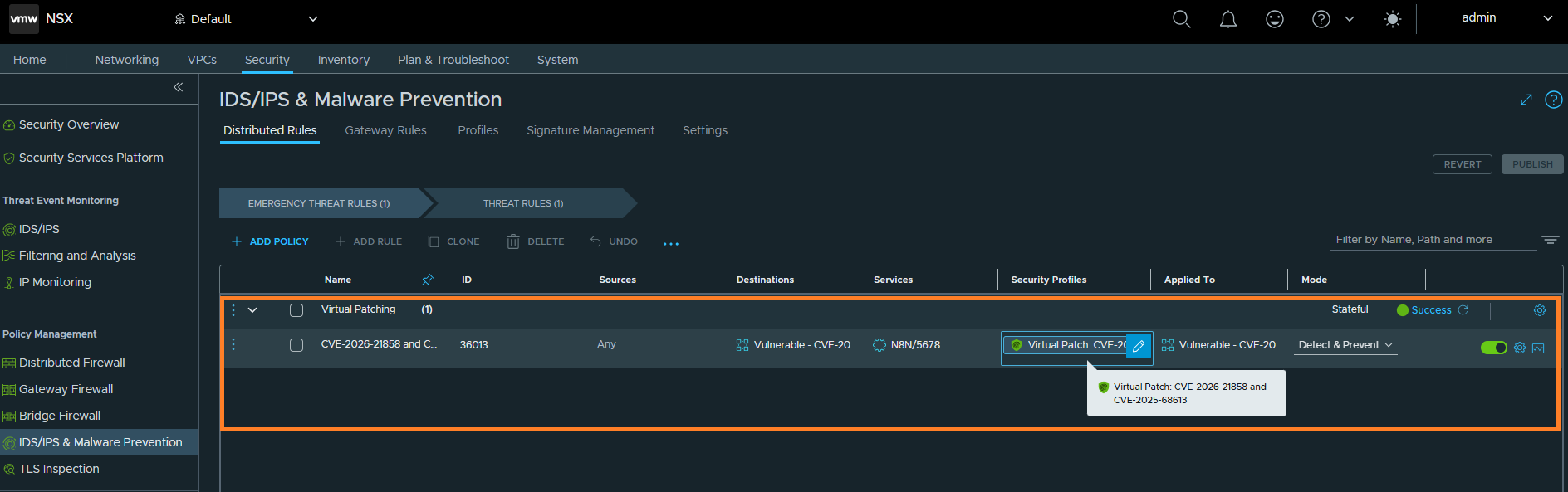
ITGuy: vDefend IDPS provides the ability to write custom signatures, so you can absolutely write your own. But if the CVE signature is already released by the vendor, then it makes absolute sense to create a signature profile with only the required CVE(s) and use that profile directly in a rule with action of Detect & Prevent.
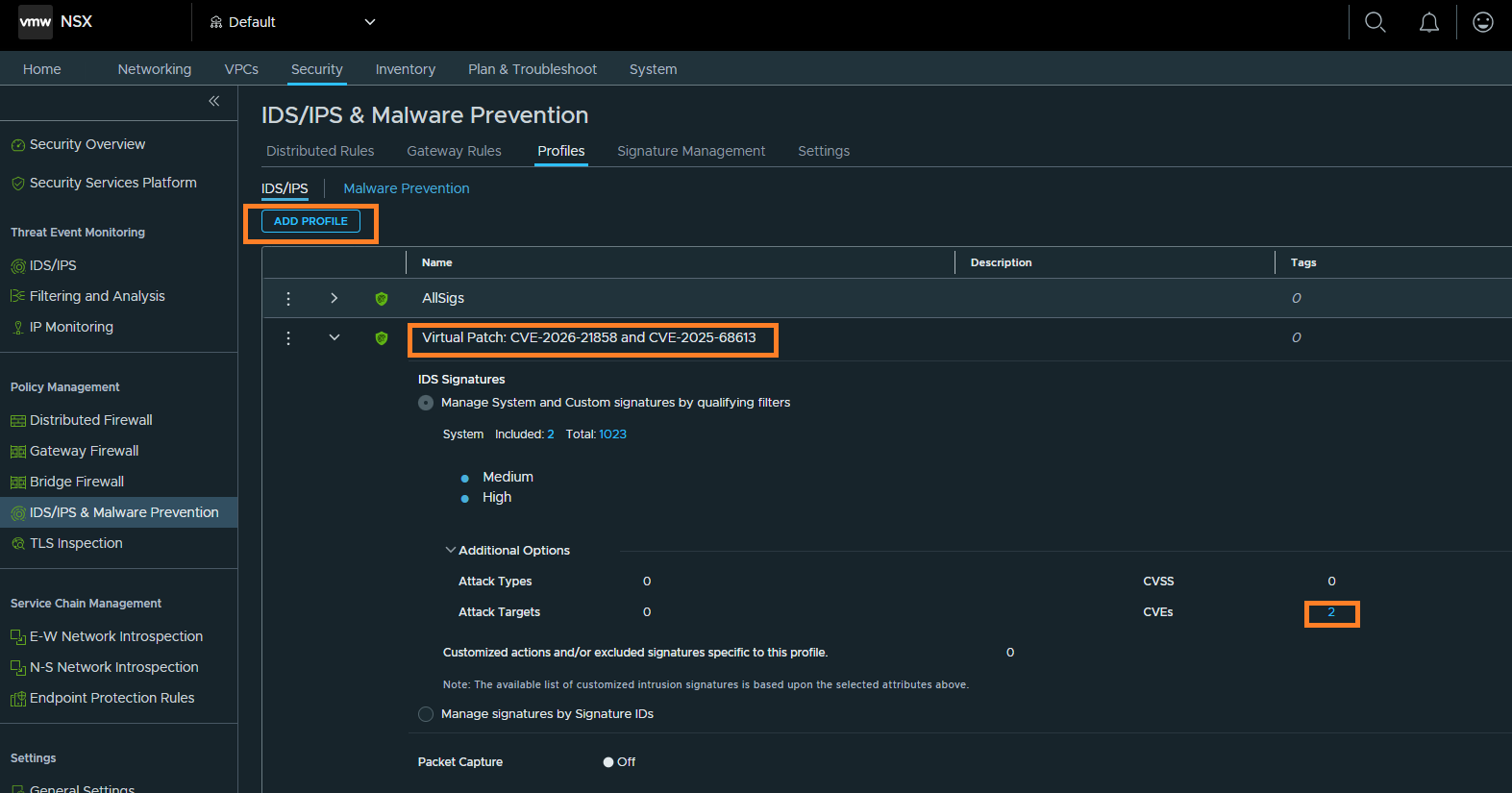
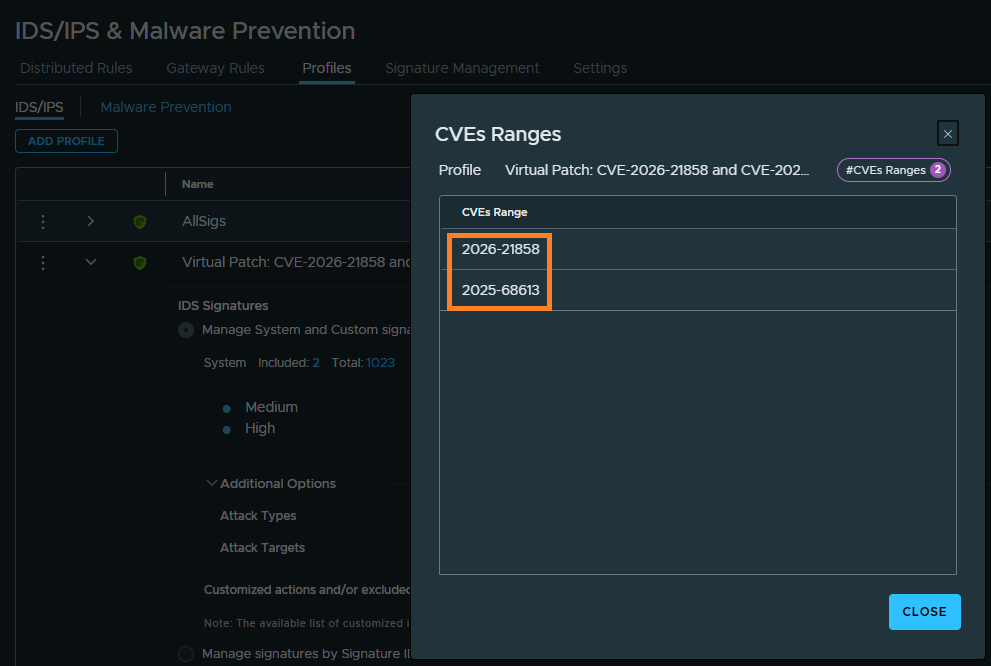
CuriousTechie: That’s very interesting, and I am really curious how these signatures perform network traffic pattern matching.
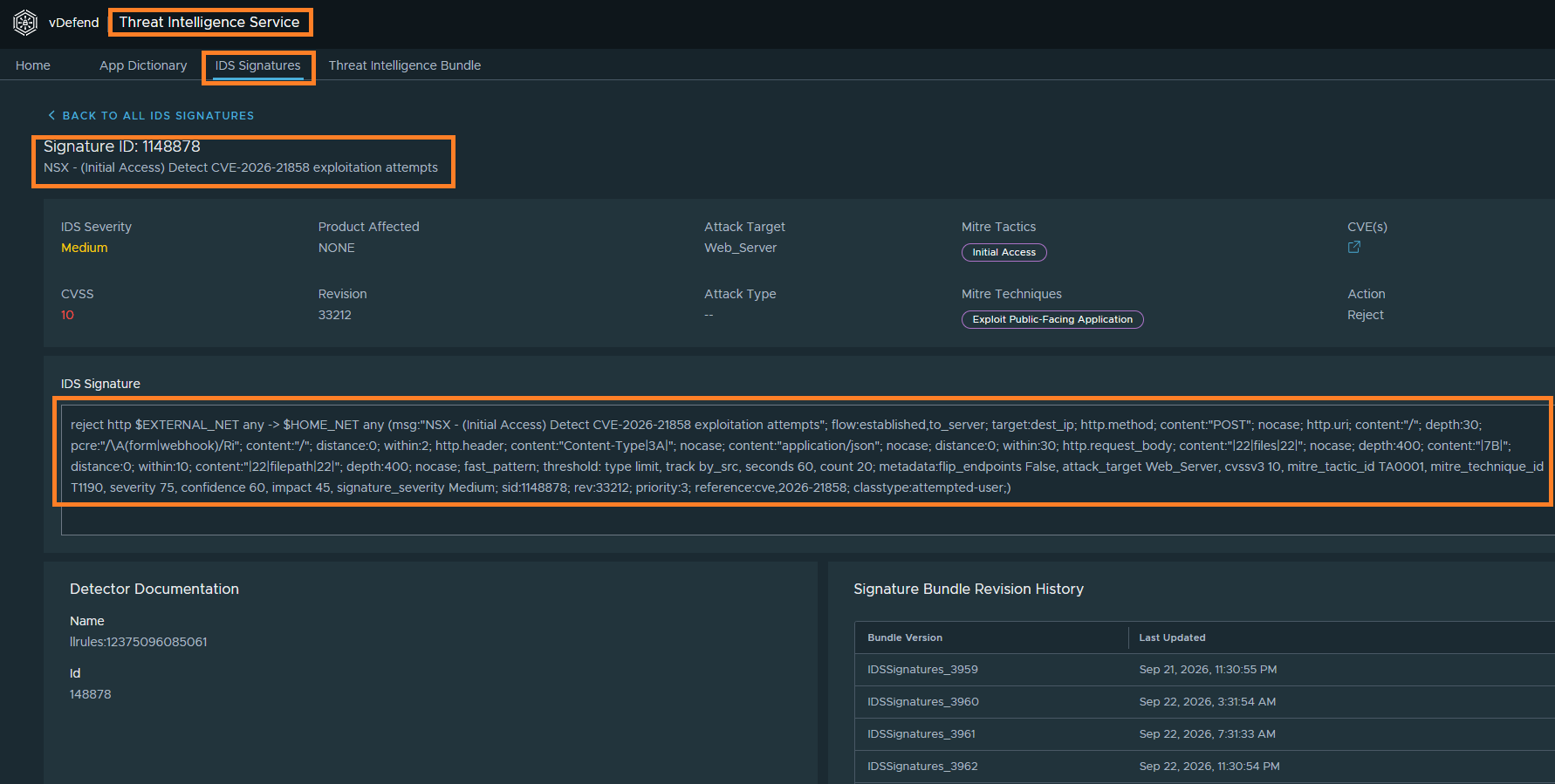
ITGuy: Well, I do have the solution for your curiosity!!! You can just check the signature details of a particular CVE directly in NSX or in the vDefend Threat Intelligence Service (vTIS). For example, earlier we understood how CVE-2026-21858 can be exploited by changing the HTTP header to application/json for file uploads. You can see the signature details below.
CuriousTechie: Wow! This is very helpful! I will try to implement this in my work and may get back to you with more questions. 🙂

