
A short discussion about using Multiple Layer 7 App IDs in vDefend DFW rules
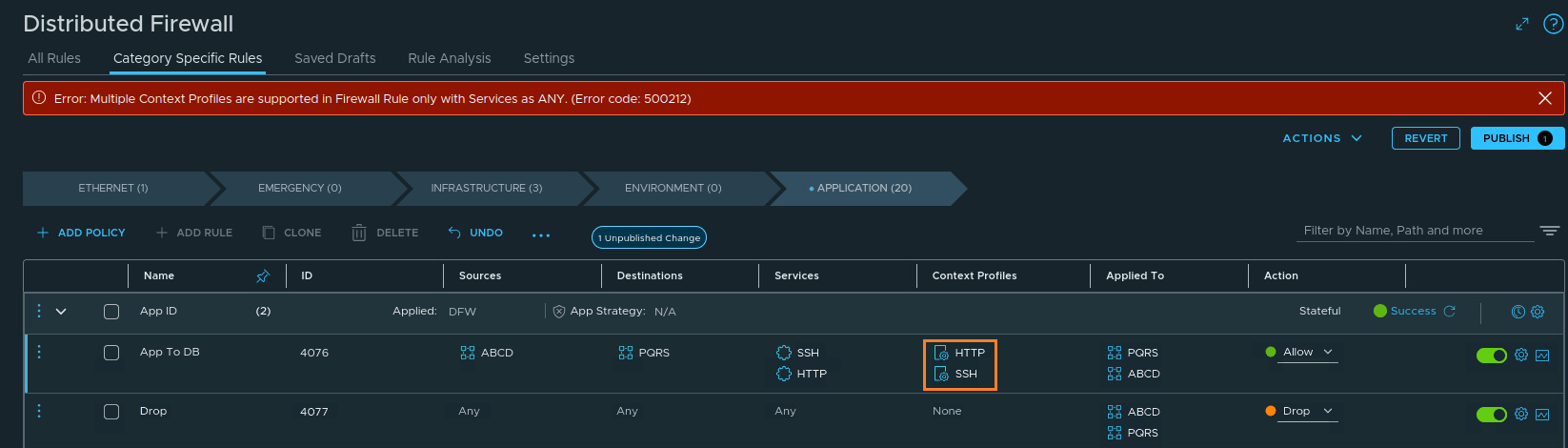
CuriousTechie: Hello IT Guy! I am trying to use two different Layer 7 App IDs in the context profile of a DFW rule but the system doesn’t allow me to do that when I use Layer 4 ports in the same rule. Can you help me understand this behavior?
ITGuy: I think I know what you are referring to, and let’s talk through it with some examples. Are you trying to do something like this?
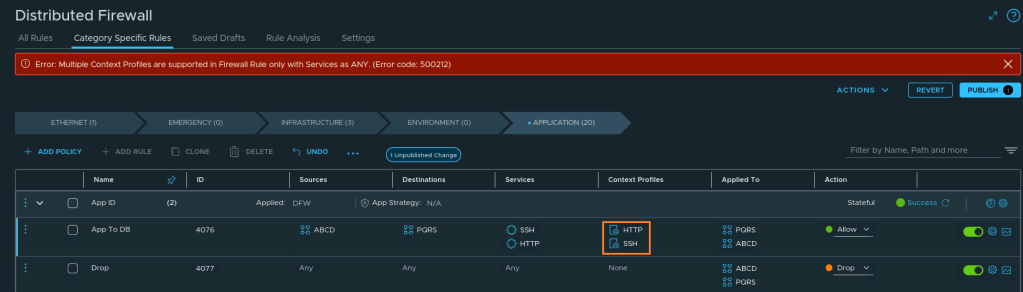
CuriousTechie: Yes, exactly this! I don’t want to use ANY in the Layer 4 service, but I also want to combine two Layer 7 App IDs in the same rule. But it looks like it is not possible!!!
ITGuy: Ok let’s first try to understand the reasoning behind this behavior!
When you do not select a Layer 4 service (i.e., [ANY]) and select one or more Layer 7 App IDs, traffic will match for ANY traffic on Layer 4 and the defined traffic on the Layer 7 App IDs.
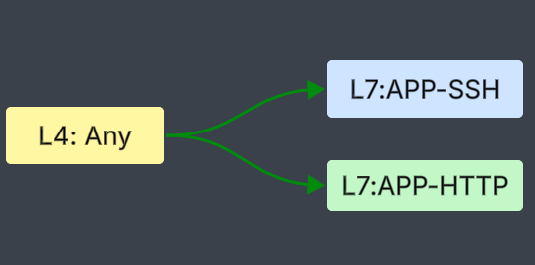
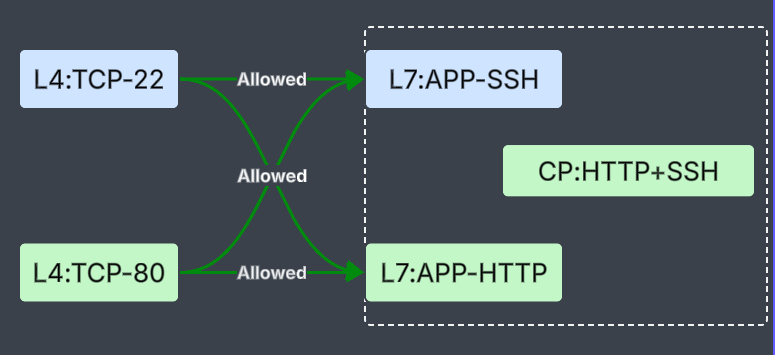
But when you select one or more Layer 4 services and also select multiple Layer 7 App IDs, the system cannot map specific Layer 4 traffic to its corresponding Layer 7 App ID. Thus, you see an error to avoid this cross-pollination of Layer 4 and Layer 7 traffic.
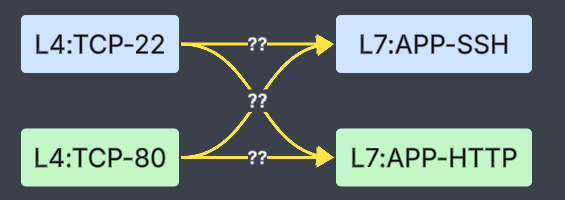
CuriousTechie: Understood! Just out of curiosity, what if I am okay with allowing this cross-pollination? I need to do some migrations and need to build a rule with multiple App IDs, but I also want to use the Layer 4 services to restrict the traffic sent for DPI (Deep Packet Inspection).
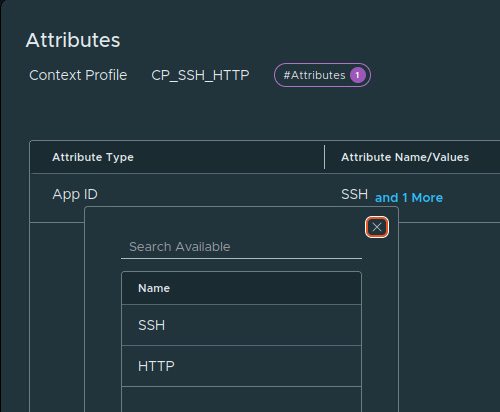
ITGuy: Yes, that is achievable using a single context profile in the rule with the required App IDs. But please note, the cross-pollination between Layer 4 and Layer 7 will be allowed in this scenario. Let’s check it with an example of the same rule. We will build a context profile named CP_SSH_HTTP; this profile will contain both SSH and HTTP App IDs.
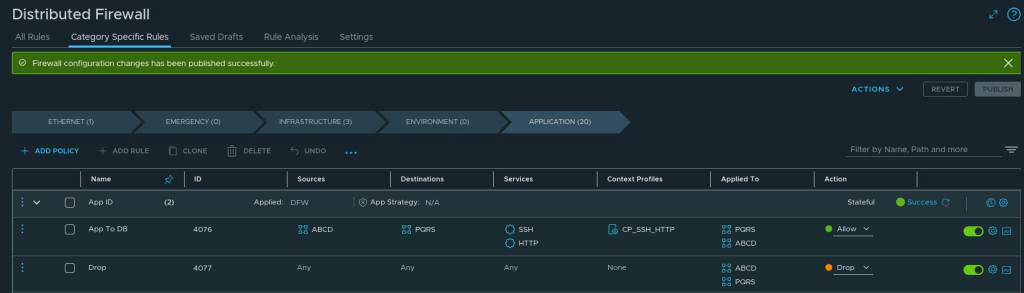
Let’s use this profile in a rule with Layer 4 TCP port 22(SSH) and 80(HTTP). As you can see, the rule publishing is now successful.
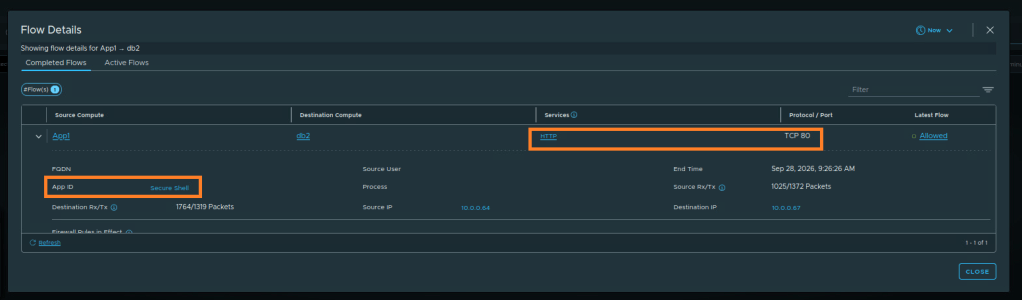
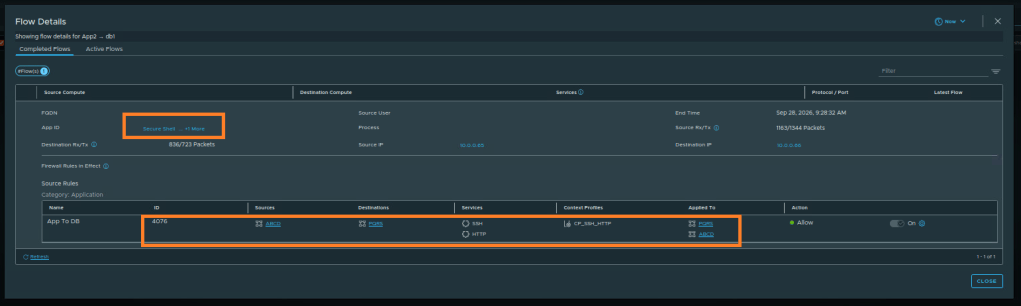
Now let’s validate this with a dummy application and real traffic using Security Intelligence. As you see in the picture below from Security Intelligence, the SSH App ID was allowed even when the Layer 4 port was HTTP TCP port 80.
Similarly, let’s check the other side. As you can see, the HTTP Layer 7 App ID was observed and allowed on TCP port 22.
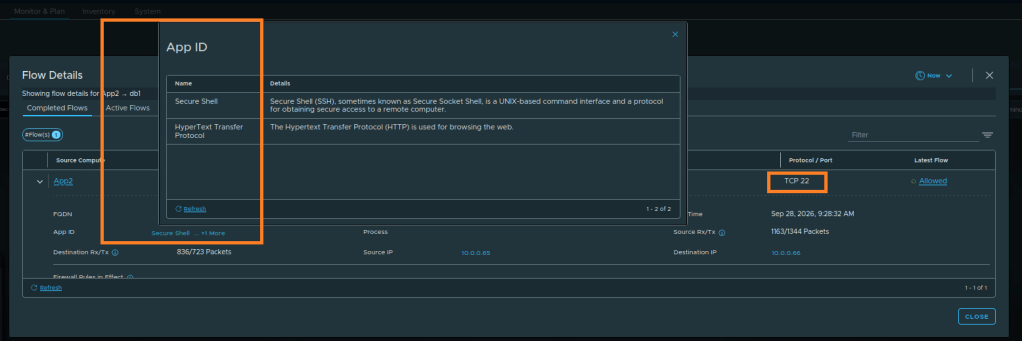
We can also validate the rule which allowed this particular traffic.
CuriousTechie: Wow!!! Security Intelligence provides really good traffic visibility! And by using a single context profile, I can actually use multiple App IDs in a single rule. But, of course, with the understanding that all Layer 7 App IDs mentioned in the context profile will be allowed over any Layer 4 port mentioned in the service, as shown below.
ITGuy: Perfect! Actually you summarized it pretty well!

